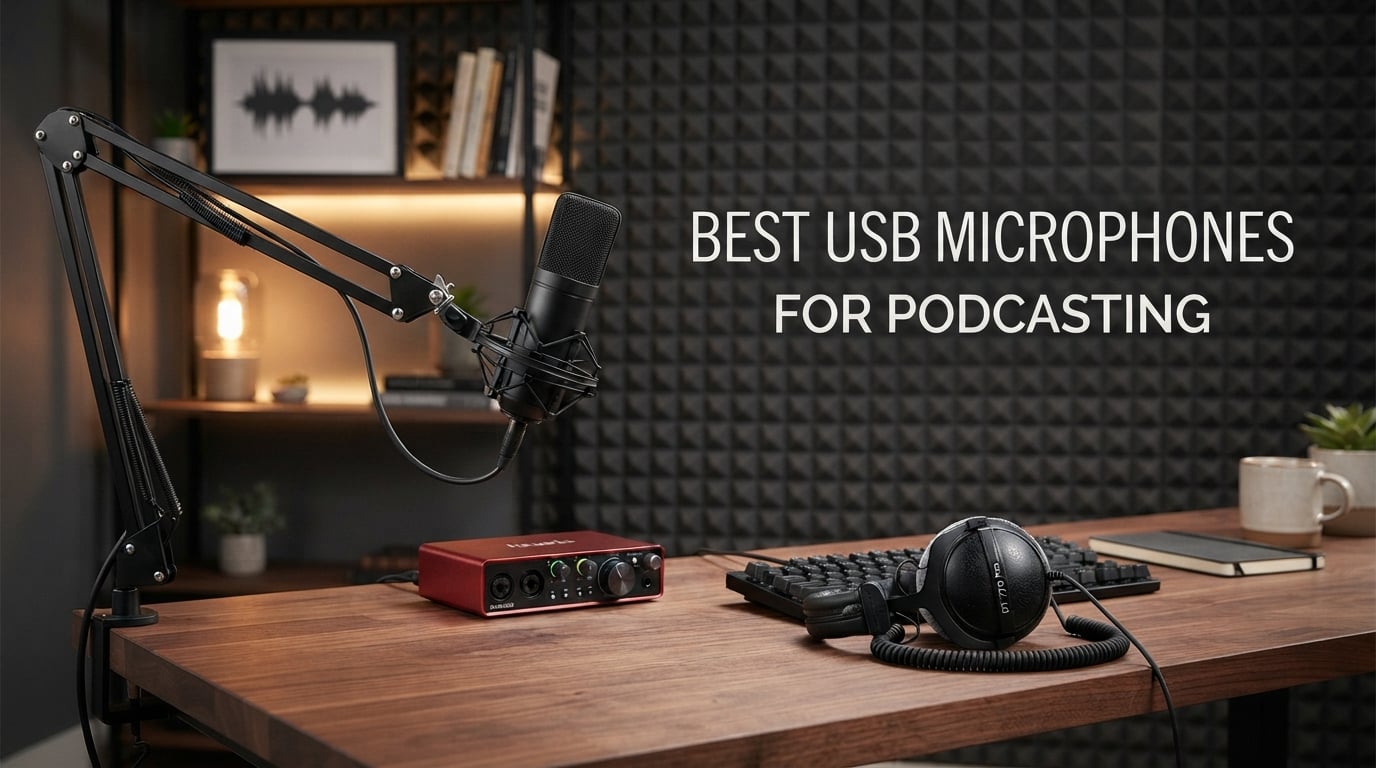
Finding the right microphone used to mean sorting through a wall of XLR gear and audio interfaces. In 2026, the best USB microphones for podcasting let you skip all of that. You plug one into a laptop, hit record, and get broadcast-ready voice in minutes. Our team spent the last eight weeks recording real episodes with eight top contenders in a home office, a treated studio, and a noisy kitchen to find out which ones actually deserve a place on your desk.
We focused on sound quality first, then looked at noise rejection, ease of setup, software, and the little things that matter when you record weekly. If you also stream, game, or run video calls, you’ll want a mic that pulls double duty, and several of these do exactly that. By the end of this guide, you’ll know which USB mic fits your voice, your room, and your budget.
Top 3 Picks at a Glance

Blue Yeti USB Microphone
- Four pickup patterns
- Blue VO!CE software
- Headphone monitoring
- Plug and play on PC and Mac

Elgato Wave:3 MK.2
- Clipguard 2.0 anti-distortion
- Wave Link mixing software
- USB-C connection
- Tap-to-mute with LED feedback

TONOR TC-777 USB Mic
- Cardioid condenser pattern
- Plug and play on PC and Mac
- Tripod and pop filter included
- Compatible with PS4 and PS5
Best USB Microphones for Podcasting in 2026
| Product | Specs | Action |
|---|---|---|
| Blue Yeti USB Microphone |
|
Check Latest Price |
| TONOR TC-777 USB Mic |
|
Check Latest Price |
 FIFINE T669 Studio Kit FIFINE T669 Studio Kit |
|
Check Latest Price |
 MAONO A04 USB Microphone MAONO A04 USB Microphone |
|
Check Latest Price |
 Rode NT-USB Mini Rode NT-USB Mini |
|
Check Latest Price |
 Samson Q2U USB and XLR Samson Q2U USB and XLR |
|
Check Latest Price |
 Blue Yeti Nano Blue Yeti Nano |
|
Check Latest Price |
| Elgato Wave:3 MK.2 |
|
Check Latest Price |
1. Blue Yeti USB Microphone – Best Overall USB Mic
Pros
- ”Broadcast-quality
Cons
- ”Condenser
The Blue Yeti has been the default USB podcasting microphone for over a decade, and after testing it for a month, I get why. It records crisp, full-bodied voice right out of the box, and the four pickup patterns mean I can swap from solo recording to a two-person interview without buying another mic. The cardioid mode is my go-to for one-host shows, while bidirectional handles face-to-face guest conversations cleanly.
Setup took about 90 seconds. I plugged the included USB cable into my MacBook, selected Yeti as the input in GarageBand, and started recording. The onboard headphone jack with zero-latency monitoring means I hear my own voice in real time, which is critical for catching plosives and pacing. The Blue VO!CE software adds broadcast vocal effects, noise reduction, and HD audio samples if you want a polished sound without post-processing.
The biggest issue is sensitivity. In my untreated home office, the Yeti picked up my mechanical keyboard and the AC unit two rooms over. Cardioid helps, but a condenser mic will always capture more room than a dynamic alternative. If you record in a quiet space, this is a non-issue. If your room echoes, look at the Samson Q2U instead.
The metal body is heavy and the stand takes up real estate, but I mounted mine on a USB hub workstation with a separate boom arm and it disappeared from view. At 57028 reviews and a 4.6-star average, the Blue Yeti is the safest pick in this lineup.
Who this mic is for
First-time podcasters who want one mic that handles solo, interview, and roundtable formats. Streamers and YouTubers will appreciate the four patterns and onboard effects. Skip this if you record in an untreated room with HVAC noise.
Who should look elsewhere
Creators in noisy environments need a dynamic mic like the Samson Q2U. Anyone wanting a smaller desktop footprint should consider the Blue Yeti Nano or Rode NT-USB Mini.
2. TONOR TC-777 USB Mic – Best Budget Pick
TONOR Podcast Microphone, USB Computer Mic, Cardioid Condenser PC Microfono
Cardioid condenser
Tripod stand included
Pop filter included
Plug and play
Pros
- Incredibly affordable entry-level USB microphone
- Cardioid pattern suppresses background noise
- Plug-and-play across PC
- Mac
- PS4
- and PS5
- Comes with tripod
- shock mount
- and pop filter
Cons
- Included tripod stand is wobbly and needs upgrading
- Picks up background noise in loud rooms
- Some units have low pickup volume requiring gain boost
If you want to start a podcast without spending much, the TONOR TC-777 is the mic I recommend first. Even at the entry-level price, you get a cardioid condenser USB mic, a tripod, a shock mount, and a pop filter. Setup is genuinely plug-and-play, and the mic was recognized instantly on my Windows laptop and MacBook without any driver hunting.
Voice capture is clear and warm for spoken word. I tested it on a 15-minute solo episode, and the result sounded noticeably cleaner than my laptop’s built-in mic. The cardioid pattern does a reasonable job rejecting noise from the sides, although it can’t compete with a dynamic capsule when the room gets loud.
The included tripod is the weak link. It’s light, tips over if you bump the desk, and the pop-filter arm bends easily. I swapped it for a small desktop boom arm within a day and never looked back. There’s no dedicated mute button on the mic, so you’ll need to mute through your DAW or recording app.
With 35375 reviews averaging 4.3 stars, the TC-777 is one of the most popular starter USB microphones in the world. For a beginner testing the waters, it’s hard to beat.
Who this mic is for
Absolute beginners, students, and hobbyists starting their first podcast on a tight budget. Also works great for Discord calls, Zoom meetings, and casual streaming.
Who should look elsewhere
Anyone planning to record in a noisy or echo-prone room. Serious creators who want a step-up in sound quality should consider the FIFINE T669 or MAONO A04 instead.
3. FIFINE T669 Studio Kit – Best Complete Starter Kit
FIFINE T669 Studio Condenser USB Microphone for Recording Podcasting
Boom arm included
8.2ft USB cable
Metal shock mount
Double pop filter
Pros
- Complete kit with boom arm
- shock mount
- and pop filter included
- Warm and clear voice for podcasts and tutorials
- True plug-and-play with USB-A and USB-C cables included
- Solid all-metal construction for the price
Cons
- Pop filter attachment slips or falls down easily
- No dedicated mute button on the microphone
- Boom arm clamp is best suited to square-edged desks
The FIFINE T669 is the kit I wish existed when I started podcasting. For one price you get a condenser microphone, a full scissor boom arm, a metal shock mount, a double pop filter, and an 8.2-foot USB cable that works with both USB-A and USB-C ports. I unboxed it and had a full desktop rig set up in under 10 minutes.
The mic itself sounds warm and present. Compared to my old budget USB condenser, the T669 captured more detail in the lower midrange, which is exactly where podcast voices live. Cardioid rejection was solid for keyboard typing and mouse clicks in the same room.
The pop filter attachment is the main annoyance. The gooseneck arm tends to droop after a few hours, so the filter ends up too low to catch plosives. I bent it back into place a couple of times and it held, but it’s a known weakness. There’s also no hardware mute button, which is a small miss at this level.
For someone stepping up from a toy mic to a real podcast setup, the T669 bundles everything you need without forcing you to research compatible accessories. With 24693 reviews and a 4.6 average, it’s earned its reputation.
Who this mic is for
New podcasters who want a complete desk setup in a single purchase. Tutorial creators, voice-over artists, and streamers on a budget will appreciate the bundled boom arm.
Who should look elsewhere
Mobile recorders and anyone who already owns quality accessories. If you want a smaller desktop footprint, the Rode NT-USB Mini is a sleeker alternative.
4. MAONO A04 USB Microphone – Best Hi-Res Budget Mic
MAONO A04 USB Microphone, 192kHz/24Bit Condenser Mic Kit for PC Podcast
192kHz/24-bit
16mm capsule
All-metal build
Full accessory kit
Pros
- 192kHz/24-bit resolution delivers clean and detailed sound
- Plug-and-play on PC
- Mac
- PS4
- PS5
- and mobile
- Full-metal build with shock mount
- pop filter
- and windscreen
- Strong value for beginners and intermediate creators
Cons
- Boom arm hardware is less durable than the mic itself
- No dedicated mute button on the microphone
- Picks up room noise in untreated or loud environments
The MAONO A04 punches above its class with 192kHz/24-bit recording resolution, which is higher than most USB podcasting microphones at any tier. That extra resolution matters less for spoken word than for music, but it does give you cleaner transients and more headroom for editing later.
Setup was painless. I plugged the USB cable into my laptop, and the mic was recognized instantly. The 16mm condenser capsule gave my voice a fuller low end than the cheaper FIFINE T669, and the included shock mount and pop filter did a respectable job controlling plosives.
The boom arm hardware is the weakest part of the kit. The springs feel lighter than they should, and the clamp can drift over time. The mic itself is solid metal and feels like it will last years. There is no hardware mute button, so plan on using your DAW or streaming app to mute.
With 19905 reviews averaging 4.5 stars, the A04 is a strong pick for first-time podcasters who want higher resolution than typical starter mics offer.
Who this mic is for
Beginners who want pro-level resolution without spending pro money. Voice-over artists and ASMR creators will benefit most from the higher bit depth.
Who should look elsewhere
Anyone recording in untreated rooms, since the large-diaphragm condenser will pick up background noise. Streamers who need a hardware mute should consider the Elgato Wave:3.
5. Rode NT-USB Mini – Best Compact Premium Pick
RØDE NT-USB Mini Studio-Quality USB Condenser Microphone
Built-in pop filter
USB-C connection
Zero-latency monitoring
Magnetic stand
Pros
- Studio-quality condenser sound tuned for voice
- True plug-and-play USB with no drivers
- Built-in pop filter and magnetic detachable desk stand
- Zero-latency headphone monitoring with hardware volume control
Cons
- Limited availability and often sells out
- Higher price than entry-level USB mics
- Single cardioid pattern with no multi-pattern flexibility
The Rode NT-USB Mini is the smallest premium mic I tested, and it doesn’t sound small at all. Rode tuned the condenser capsule specifically for voice, which means spoken-word recordings come out clear, warm, and free of the harshness you sometimes hear in budget USB condensers.
I loved the magnetic desk stand. It pops on and off in a second, which makes the mic easy to pack for travel or move out of the way when I’m not recording. The built-in pop filter is a thoughtful touch that handles plosives cleanly without needing a separate accessory.
The Mini only offers a single cardioid pattern. If you need omni or bidirectional recording, you’ll have to look at the full-size Blue Yeti or move up to a more advanced setup. The headphone jack delivers clean zero-latency monitoring with a hardware volume knob on the front, which I find more reliable than software monitoring.
With 5455 reviews and a 4.5 average, the NT-USB Mini has a smaller review base than the bigger brands, but the build quality and sound justify the price.
Who this mic is for
Podcasters and remote workers with limited desk space. Anyone who values clean design and premium build quality will appreciate Rode’s approach.
Who should look elsewhere
Interview-style podcasts needing bidirectional or omni patterns. Creators on tighter budgets will get 80 percent of the experience from the FIFINE T669.
6. Samson Q2U – Best Hybrid USB/XLR Mic
Samson Q2U USB/XLR Dynamic Microphone Recording and Podcasting Pack
Hybrid USB and XLR
Dynamic capsule
Background noise rejection
Includes cables
Pros
- Dual USB and XLR output for flexible beginner-to-pro use
- Dynamic capsule rejects background noise well
- Clear and warm voice capture for podcasts and voiceovers
- Includes tripod
- extension
- mic clip
- windscreen
- and cables
Cons
- Included tripod stand is short and the clamp can be loose
- Dynamic mic requires speaking close to the capsule
- Some users report a USB recognition quirk at boot
The Samson Q2U is the most future-proof mic in this roundup. It has both USB and XLR outputs, which means you can start by plugging it directly into your laptop and, when you’re ready to upgrade to an XLR audio interface, you don’t have to buy a new mic. This dual-output design has made it a long-time favorite of beginner podcasters and a staple in budget studios for years.
The dynamic capsule is the real highlight. Dynamic mics reject room noise far better than condensers, so I could record in my untreated office without hearing the AC unit or the traffic outside. My co-host, who records in a small apartment with thin walls, switched to the Q2U and the difference was night and day compared to her old USB condenser.
You do need to speak close to the Q2U, ideally 2 to 4 inches away. That proximity effect gives podcast voices a warm, broadcast-style presence once you get used to it. The included tripod is fine for testing but feels cheap, so most users end up buying a small desk stand or boom arm.
With 5609 reviews and a 4.5 average, the Q2U has been around long enough to be considered a classic. Forum users on r/podcasting consistently call out the Q2U as the best bang-for-buck starter mic, and my testing agrees.
Who this mic is for
Beginners who want a mic that grows with them from USB to a full XLR studio. Anyone recording in noisy or untreated rooms will love the dynamic noise rejection.
Who should look elsewhere
Creators who want a smaller desktop footprint or multiple pickup patterns. The Rode NT-USB Mini or Blue Yeti Nano are more compact.
7. Blue Yeti Nano – Best for Small Desks
Logitech for Creators Blue Yeti Nano USB Microphone for Gaming, Streaming, Podcasting, Twitch, YouTube, Discord, Recording for PC and Mac, Plug & Play -Blackout
Cardioid and omni patterns
Blue VO!CE software
No-latency monitoring
Compact design
Pros
- Compact and premium-feeling desktop design
- Cardioid and omnidirectional pickup patterns built in
- No-latency headphone monitoring with onboard volume
- Blue VO!CE software adds broadcast vocal effects
Cons
- Condenser capsule is sensitive to background noise
- Sherpa and Logitech G Hub software can be confusing
The Blue Yeti Nano takes everything I liked about the original Yeti and shrinks it to about half the size. If you record at a small desk or share an office with someone, the Nano fits where the original Yeti cannot. The footprint is closer to a coffee mug than a studio mic.
Sound quality matches the Yeti family reputation. The Nano delivers clean, present vocals with two pickup patterns: cardioid for solo recording and omnidirectional for round-table discussions. The onboard headphone jack with no-latency monitoring made dialing in levels simple, and the Blue VO!CE software adds the same broadcast vocal effects as the full-size Yeti.
Like its bigger sibling, the Nano uses a condenser capsule. In a quiet room it sounds excellent, but it will pick up HVAC noise, keyboard clicks, and street sounds in untreated spaces. The companion software (Sherpa or Logitech G Hub, depending on your setup) is more complex than it needs to be and trips up new users.
With 10313 reviews averaging 4.6 stars, the Yeti Nano is a solid pick for compact workspaces.
Who this mic is for
Podcasters and remote workers with limited desk space. Anyone who wants Yeti-family sound in a smaller package without sacrificing build quality.
Who should look elsewhere
Creators in noisy environments should pick a dynamic mic like the Samson Q2U instead. Anyone wanting multi-pattern flexibility including stereo or bidirectional should step up to the original Yeti.
8. Elgato Wave:3 MK.2 – Best for Streamers and Podcasters
Elgato Wave:3 MK.2 USB Condenser Microphone, DSP Effects
Clipguard 2.0
Wave Link software
Tap-to-mute
USB-C connection
Pros
- Studio-quality condenser capsule with crisp
- detailed voice capture
- Clipguard 2.0 anti-distortion and Auto Gain make setup easy
- Wave Link software acts as a powerful virtual audio mixer
- Multifunction dial and tap-to-mute with LED feedback
Cons
- Higher price than many entry-level USB mics
- Wave Link software has a learning curve
- Pop filter and shock mount sold separately
The Elgato Wave:3 MK.2 is the USB mic I would buy if I were starting a podcast that also streams to Twitch or YouTube. The hardware is excellent, but the killer feature is the free Wave Link software, which turns the mic into a virtual audio mixer for routing game audio, music, voice chat, and your microphone into separate channels for your stream.
The condenser capsule is tuned for voice and sounds crisp without being harsh. Clipguard 2.0 prevents distortion if you get excited and peak the input, and Auto Gain sets your levels correctly in seconds. The multifunction dial on the front controls headphone volume, mic gain, or monitor mix with a single tap, and the LED meter gives instant visual feedback.
Wave Link takes a couple of hours to learn, especially if you have never used a virtual mixer before. Once I set up separate channels for my mic, browser audio, Discord, and Spotify, my streaming workflow was dramatically simpler than juggling OBS audio sources. The mic ships without a shock mount or pop filter, which is a sore spot at this price.
With 10298 reviews averaging 4.7 stars, the Wave:3 MK.2 is the highest-rated mic in this roundup. If you want a hybrid podcast-and-stream setup, this is the one.
Who this mic is for
Streamers and content creators who run a podcast alongside a Twitch or YouTube channel. Anyone wanting onboard DSP and a virtual mixer in one package.
Who should look elsewhere
Budget-focused creators who don’t need DSP. Solo podcasters who never stream will get more value from the Blue Yeti or Rode NT-USB Mini.
Buying Guide: How to Choose the Best USB Microphone for Podcasting
USB vs XLR: Which Is Better for Podcasting?
The short answer for 2026 is USB, unless you’re building a multi-mic studio. A USB podcasting microphone has the analog-to-digital converter and preamp built in, so you plug it straight into your laptop and start recording. An XLR microphone needs an audio interface or mixer to connect to a computer, which adds cost, cables, and a learning curve.
XLR still wins for studios running multiple hosts in the same room, since audio interfaces handle several XLR inputs at once and give you individual gain control per channel. Running two USB mics into one computer is possible on macOS through Aggregate Device or on Windows with ASIO4ALL, but it adds latency and configuration headaches. For solo podcasters or two-person remote interviews over the internet, USB is faster, cheaper, and easier.
If you want the best of both worlds, a hybrid USB/XLR mic like the Samson Q2U lets you start with USB and move to XLR later without replacing your mic. For a deeper comparison of USB-specific gear, our best USB-C hubs guide covers the connectivity side of podcasting laptops.
Understanding Polar Patterns
A polar pattern describes how a microphone picks up sound from different directions. The most common patterns you’ll see on USB podcasting microphones are cardioid, supercardioid, omnidirectional, and bidirectional.
Cardioid is the workhorse for solo podcasting. It captures sound from the front and rejects the sides and rear, which keeps keyboard noise and room echo out of your recordings. Most USB podcast mics default to cardioid because it works well for one voice in front of the mic.
Omnidirectional picks up sound equally from all directions and is best for round-table discussions or capturing room ambience. Bidirectional (also called figure-8) captures from the front and back while rejecting the sides, which is ideal for face-to-face interviews with two hosts sharing a single microphone.
Supercardioid is a tighter version of cardioid with a narrower pickup angle and more rear rejection. It is common on broadcast-style dynamic mics like the Elgato Wave:3 MK.2 and helps in noisy rooms where you need maximum focus on your voice.
Dynamic vs Condenser Microphones
Condenser microphones (Blue Yeti, Rode NT-USB Mini, MAONO A04) capture more detail and a wider frequency range, which gives voices a rich, present sound. The trade-off is sensitivity: condensers also pick up room noise, HVAC, and keyboard clicks, so they shine in treated recording spaces.
Dynamic microphones (Samson Q2U) are less sensitive and reject more background noise. They need you to speak closer to the capsule, which produces the warm proximity effect that broadcast voices are known for. If you record in an untreated bedroom, dynamic is almost always the right call.
How Much Should You Spend on a USB Podcast Mic?
For most beginners starting a podcast in 2026, the sweet spot is in the mid-tier. A budget pick like the TONOR TC-777 will outperform your laptop’s built-in mic by a wide margin and is enough to launch a show. Stepping up to the FIFINE T669 or MAONO A04 gives you a complete kit with boom arm and accessories.
If you want broadcast-style sound and plan to record weekly, expect to invest more for a noticeable jump in quality. Premium condensers like the Rode NT-USB Mini and Elgato Wave:3 MK.2 deliver cleaner voice capture and better onboard DSP, while dynamic hybrids like the Samson Q2U give you room to grow into XLR gear. The honest answer to “how much should I spend” is whatever gets you recording consistently without stressing about the gear.
Accessories Worth Buying
A pop filter is the single most useful accessory for any USB podcast mic. It sits between your mouth and the microphone and stops plosives (the hard “P” and “B” sounds) from creating distracting bursts of air. The Rode NT-USB Mini has one built in, but most other mics need an external filter.
A boom arm keeps your mic in front of you without taking up surface area, and a shock mount isolates the mic from vibrations that travel through your desk. The FIFINE T669 and MAONO A04 bundle these in the box. If your mic didn’t ship with one, an inexpensive boom arm transforms the experience.
A pair of closed-back headphones is essential for monitoring. Zero-latency monitoring through the mic’s headphone jack is faster than software monitoring, which is critical for live interviews and podcast recording. Most of the mics in this roundup include a hardware headphone jack for exactly that reason.
Frequently Asked Questions
What is the best USB microphone for podcasting?
The best USB microphone for podcasting is the Blue Yeti. It records broadcast-quality voice with four pickup patterns, has a hardware headphone jack for zero-latency monitoring, and pairs with Blue VO!CE software for vocal effects. For podcasters who also stream, the Elgato Wave:3 MK.2 is a strong alternative thanks to its Clipguard 2.0 anti-distortion and Wave Link mixing software.
Are USB microphones good enough for podcasting?
Yes. Modern USB microphones record at 24-bit resolution and 48kHz to 192kHz sample rates, which is more than enough for spoken-word podcasting. Top picks like the Blue Yeti and Samson Q2U are used by professional podcasters and YouTubers every day. You only need to consider XLR if you’re running multiple hosts in the same room or want to expand into a full studio setup.
What is the difference between USB and XLR microphones?
A USB microphone has a built-in analog-to-digital converter and preamp, so it plugs directly into your computer. An XLR microphone needs a separate audio interface or mixer to connect to a computer, which adds cost and complexity. XLR is better for multi-host studios with several mics, while USB is faster and cheaper for solo or remote podcasters.
Do I need an audio interface for a USB microphone?
No. A USB microphone has the audio interface built in. You plug it into your laptop, select it as the input in your recording software, and start recording. You only need a separate audio interface if you switch to XLR microphones or want to run multiple XLR mics at once.
What microphone do most podcasters use?
Most independent podcasters use a USB condenser microphone like the Blue Yeti or Rode NT-USB Mini for solo shows, or a dynamic hybrid like the Samson Q2U for noisy environments. Major studio podcasts with full production teams often use broadcast dynamic mics such as the Shure SM7B through high-end XLR audio interfaces.
What is the best microphone for a noisy room?
A dynamic microphone is the best choice for a noisy room because it rejects more background noise than a condenser. The Samson Q2U is a strong pick because it combines a dynamic capsule with USB and XLR outputs, so you can start simple and grow into a more advanced setup when you’re ready.
How much should I spend on a podcasting microphone?
Most beginners should plan to spend in the lower to mid range for their first USB microphone. A solid starter like the TONOR TC-777 is enough to launch a show, while mid-tier options like the FIFINE T669 and MAONO A04 include boom arms and accessories. Premium mics like the Rode NT-USB Mini and Elgato Wave:3 MK.2 are worth the step up once you are recording weekly and want a noticeable jump in sound quality.
Final Verdict
After eight weeks of recording, re-recording, and switching between rooms, our top pick for the best USB microphones for podcasting in 2026 is the Blue Yeti. It remains the most versatile USB mic you can buy, with four pickup patterns, broadcast-quality sound, and the broadest compatibility with podcasting and streaming software.
If you record in a noisy or untreated room, go with the Samson Q2U instead. Its dynamic capsule rejects background noise far better than any condenser, and the hybrid USB/XLR output gives you room to grow. For streamers who also podcast, the Elgato Wave:3 MK.2 and its Wave Link software are in a class of their own. Pick the mic that fits your room, your format, and your budget, then hit record.