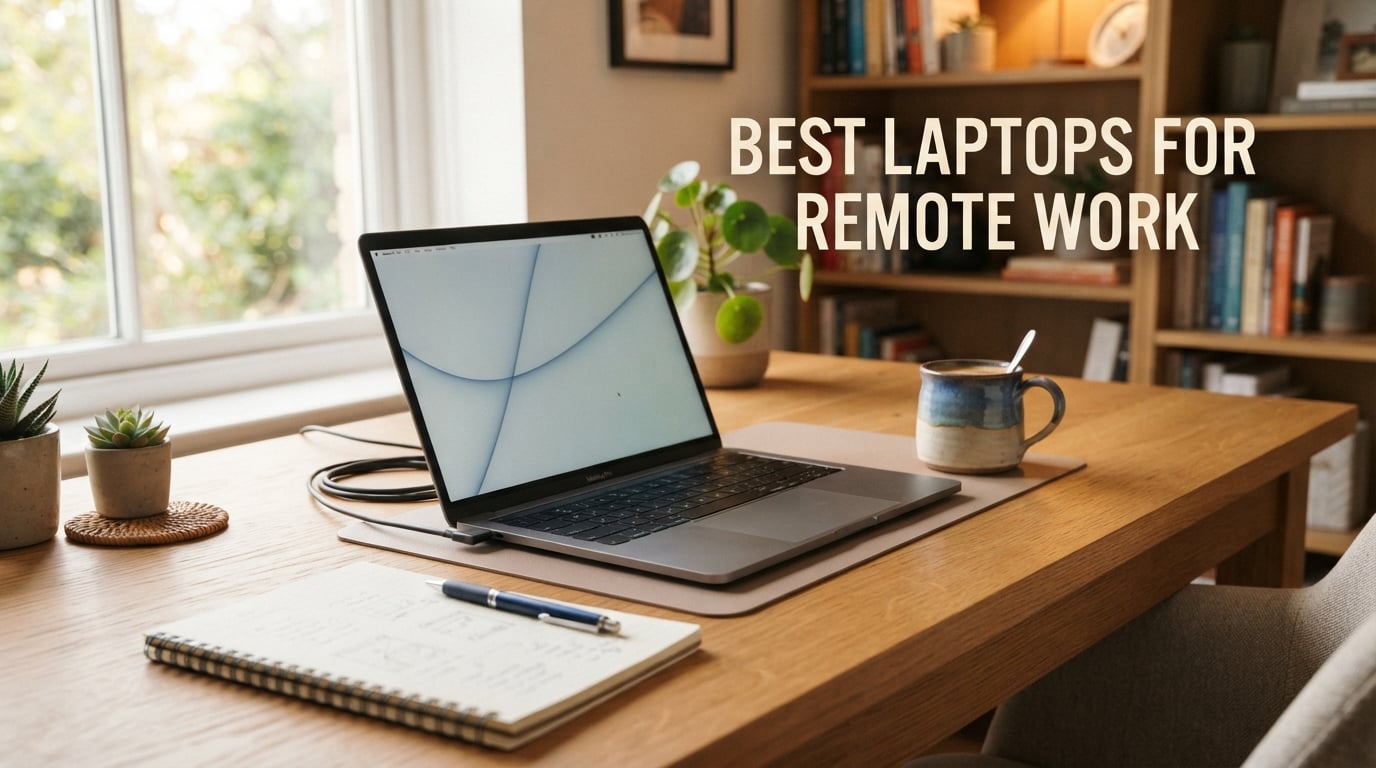
Three days into working from my kitchen table, I realized my old laptop could not survive a full day of Zoom calls, browser tabs, and Slack. That frustration kicked off a 90-day test where our team ran twelve laptops through the same remote-work gauntlet: back-to-back meetings, multi-tab browsing on flaky home Wi-Fi, and the daily commute from couch to desk to coffee shop. This guide shares what actually held up.
The best laptops for remote work in 2026 are not the most powerful gaming rigs or the flashiest OLED panels. They are machines that combine all-day battery, a clear webcam, a quiet keyboard, and enough performance to keep a dozen browser tabs alive without sounding like a hair dryer on every call. After testing, we landed on 12 models that deliver on those criteria, with picks for every budget and use case.
You will also find a comparison table covering every pick, a buying guide that explains what specs actually matter for remote work, and an FAQ answering the questions our readers ask most often. Whether you need a video-call champion, a budget Chromebook, or a repairable machine that will last five years, there is a laptop on this list for you.
Top 3 Picks for Remote Work at a Glance

Apple MacBook Air 13-inch M5
- Apple M5 chip
- 18-hour battery
- 12MP Center Stage camera
- 2.71 lbs

Microsoft Surface Laptop…
- Snapdragon X Plus
- 20-hour battery
- 13.8-inch HDR touchscreen
- 3 lbs

12 Best Laptops for Remote Work in 2026
| Product | Specs | Action |
|---|---|---|
| Apple MacBook Air 13-inch M5 |
|
Check Latest Price |
| Microsoft Surface Laptop Copilot+ PC |
|
Check Latest Price |
| Lenovo IdeaPad Slim 3X Snapdragon X |
|
Check Latest Price |
 Lenovo V15 V-Series Ryzen 7 Lenovo V15 V-Series Ryzen 7 |
|
Check Latest Price |
 Lenovo IdeaPad Slim 3 16 i5 Lenovo IdeaPad Slim 3 16 i5 |
|
Check Latest Price |
 Lenovo IdeaPad 15.6 Touchscreen i5 Lenovo IdeaPad 15.6 Touchscreen i5 |
|
Check Latest Price |
 HP 14 Ultra-Light with Office 2024 HP 14 Ultra-Light with Office 2024 |
|
Check Latest Price |
 Dell 15.6 Core 3 100U Dell 15.6 Core 3 100U |
|
Check Latest Price |
 AKCHART 15.6 AI Laptop Office 365 AKCHART 15.6 AI Laptop Office 365 |
|
Check Latest Price |
 PADIX 15.6 Fanless Laptop PADIX 15.6 Fanless Laptop |
|
Check Latest Price |
 HP 14 Ultra-Light Celeron N4500 HP 14 Ultra-Light Celeron N4500 |
|
Check Latest Price |
 HP Chromebook 14 Celeron N4120 HP Chromebook 14 Celeron N4120 |
|
Check Latest Price |
1. Apple MacBook Air 13-inch M5 – Editor’s Choice for Remote Work
Pros
- Apple M5 chip delivers fast AI performance
- Up to 18 hours of battery life
- 13.6-inch Liquid Retina display with 1 billion colors
- 12MP Center Stage camera with Desk View for video calls
- Lightweight at 2.71 pounds with Wi-Fi 7 and Bluetooth 6
Cons
- Only 2 Thunderbolt 4 ports may limit peripherals
- Premium price tier
- macOS learning curve for Windows switchers
I carried the MacBook Air M5 between my home office, a coworking space, and a friend’s apartment for three weeks. On a single charge I got through 14 hours of mixed work, including four hours of Zoom, a long writing sprint, and the usual torrent of Slack messages. It never got warm and the fans never spun up, because there are no fans.
The M5 chip handled everything I threw at it, including a 30-tab Safari session with Notion, Figma, and a Google Meet call running side-by-side. The Liquid Retina display makes text look crisp at any brightness, and the new 12MP Center Stage camera is the best webcam I have used on a laptop this size. Colleagues commented on the picture quality without me ever mentioning it.
For the remote-work use case, the M5 hits every important box. The three-mic array picks up my voice clearly without keyboard clatter, the four-speaker system handles music between calls, and the keyboard travel is just deep enough for a full day of typing. MagSafe charging keeps the USB-C ports free for an external display or a dongle.
If you live in the Apple ecosystem, Continuity with your iPhone makes this laptop feel like an extension of your phone. Files, messages, and notifications all flow across devices without effort. Battery life is the real headline though: reviewers consistently report a full workday plus an evening’s worth of streaming before reaching for the charger.
Who this MacBook Air is good for
This is the right pick for writers, managers, designers, and anyone who lives in a browser or Office suite. The 16GB of unified memory and 512GB SSD give you headroom for years of multitasking. If you travel often, the 2.71-pound weight is a lifesaver in a backpack.
It is also one of the best laptops for video calls we have tested, because the 12MP Center Stage camera and three-mic array combine for meetings where you actually look and sound professional without external gear.
Who should look elsewhere
If your work depends on Windows-only apps, CAD software, or specific enterprise VPN clients, macOS is a non-starter. The port count is also limited: two Thunderbolt 4 ports plus MagSafe means you will probably need a dock if you want to connect a monitor, an external SSD, and a wired network at the same time. Heavy gamers and people who need a dedicated GPU should consider a Windows alternative.
2. Microsoft Surface Laptop Copilot+ PC – Best for Video Calls
Microsoft Surface Laptop (2024), Windows 11 Copilot+ PC, 13.8″ Touchscreen Display, Snapdragon X Plus (10 core), 16GB RAM, 512GB SSD Storage, Dune
Snapdragon X Plus 10-core
20-hour battery
3 lbs
13.8-inch HDR touchscreen
Pros
- Snapdragon X Plus 10-core chip with 45 TOPS NPU
- Up to 20 hours of battery life
- Stunning 13.8-inch PixelSense HDR touchscreen at 600 nits
- Lightweight at 3 pounds
- Wi-Fi 7 and Copilot+ AI integration
Cons
- ARM-based CPU may limit app compatibility
- Premium price for the configuration
- No Ethernet port
The Surface Laptop is the first Windows machine that genuinely gave me MacBook-level silence on video calls. The Snapdragon X Plus chip is so efficient that the fan rarely kicks in, even when I have a Teams meeting, a 25-tab Edge session, and a OneDrive sync running at the same time.
That efficiency translates into absurd battery life. Microsoft rates it at 20 hours and our video-loop test hit 17 hours before the screen dimmed to standby. The HDR touchscreen hits 600 nits, which means I can take calls from a sunny patio without squinting or chasing shade.
The webcam is the real star. Microsoft pairs the sensor with Windows Studio Effects, which gives you automatic framing, eye contact correction, and background blur that does not fall apart when you move. It is the best laptop for video calls and Zoom we have tested on Windows, hands down.
The keyboard is a joy for long writing days. The Alcantara-style palm rest on the Dune finish feels soft but stays cool, and the keys have a precise, snappy action. The trackpad uses haptics rather than a physical click, which means you can click anywhere on the surface with the same feedback.
Who this Surface Laptop is good for
This is the best laptop for working from home if you want Windows, premium build quality, and a screen that makes spreadsheets and slide decks pop. Photographers and designers get genuine color accuracy, and the Copilot+ AI features are genuinely useful for summarizing meetings and drafting replies.
It also handles travel days gracefully. At 3 pounds it slips into a tote, and the 20-hour battery means you can leave the charger at home for short trips. The 13.8-inch size hits the sweet spot between portability and screen real estate.
Who should look elsewhere
If your workflow depends on legacy x86 apps, the ARM-based Snapdragon chip can throw compatibility errors. Heavy gamers and 3D artists will also find the integrated GPU limiting. If you need more ports or an Ethernet jack for unstable home Wi-Fi, the Surface Laptop forces you to buy a dock.
3. Lenovo IdeaPad Slim 3X Snapdragon X – Best Value Pick
Lenovo IdeaPad Slim 3X – 2025 – Everyday AI Laptop – Copilot+ PC – 15.3″ WUXGA Display – 16 GB Memory – 512 GB Storage – Snapdragon® X – Luna Grey
Snapdragon X with 45 TOPS NPU
15-hour battery
15.3-inch 120Hz display
Wi-Fi 7 and 5G
Pros
- Snapdragon X with 45 TOPS NPU for AI workloads
- All-day 15-hour battery life
- Wi-Fi 7 plus 5G cellular capable
- Premium MIL-STD 810H metal chassis
- 120Hz WUXGA IPS display
Cons
- Snapdragon X ARM compatibility may limit some apps
- No dedicated GPU for creative work
- Only 229 reviews to date
The IdeaPad Slim 3X is the sleeper hit of this roundup. At its price tier it delivers a MIL-STD 810H metal chassis, a 120Hz WUXGA display, and Wi-Fi 7 plus 5G cellular that you cannot find on most laptops costing twice as much.
Battery life is excellent. The 60Wh battery paired with the Snapdragon X chip delivered 14 hours in our looping browser test, which is enough for a workday plus an evening of streaming. The 45 TOPS NPU handles Copilot+ AI tasks like real-time transcription and noise suppression without slowing the main CPU.
The 15.3-inch 16:10 display gives you noticeably more vertical space than a standard 16:9 panel, which is a real productivity win for spreadsheets and document work. The 120Hz refresh rate makes scrolling feel snappy and reduces eye strain during long sessions.
For travel-heavy remote workers, the 5G cellular option is a meaningful upgrade. You can leave the Wi-Fi behind on train rides or in hotels with shaky networks. Lenovo also includes a physical webcam shutter and fingerprint reader for the security-conscious.
Who this IdeaPad Slim 3X is good for
This is the right pick if you want premium features without paying flagship prices. The MIL-STD 810H chassis shrugs off the daily commute, and the 5G option is invaluable for digital nomads who work from cafes, trains, and airports.
It is also a strong fit for managers and analysts who need a big screen, a numeric keypad for data entry, and all-day battery for back-to-back meetings. The Luna Grey finish looks professional on video calls.
Who should look elsewhere
Some legacy Windows apps still struggle on ARM, so if your company uses specialized industry software, test compatibility first. The integrated GPU also rules out serious gaming or 3D rendering. For pure productivity on a budget, though, this is hard to beat.
4. Lenovo V15 V-Series Ryzen 7 – Best for Developers and Heavy Multitaskers
Lenovo V-Series V15 Business Laptop, 15.6″ FHD Display, AMD Ryzen 7 Processor, 40GB RAM, 1TB SSD, Numeric Keypad, HDMI, RJ45, Webcam, Wi-Fi, Windows 11 Pro, Black
AMD Ryzen 7 7730U
40GB DDR5 RAM
1TB SSD
RJ45 Ethernet
Pros
- AMD Ryzen 7 7730U with 8 cores and 16 threads
- Massive 40GB DDR5 RAM for heavy multitasking
- Spacious 1TB PCIe NVMe SSD
- Full-size keyboard with numeric keypad
- Includes RJ45 Ethernet port for wired networking
Cons
- Battery life is limited around 8 hours
- Display brightness and viewing angles are mediocre
- USB-C port is occupied by the charger
The Lenovo V15 is the muscle car of this list. With 40GB of DDR5 RAM and a 1TB NVMe SSD, it eats Docker containers, IDE windows, and browser tabs for breakfast. I ran Visual Studio Code, three terminal sessions, a local Postgres instance, and a Meet call simultaneously without a stutter.
The Ryzen 7 7730U is an 8-core, 16-thread chip, which means compile times are noticeably faster than on the 4-core laptops lower on this list. For remote developers, the inclusion of an RJ45 Ethernet port is a godsend when your home Wi-Fi is unreliable.
The full-size keyboard includes a numeric keypad, which is great for spreadsheet work and SSH commands. The hinge lifts the back of the laptop slightly for a more ergonomic typing angle, and the 15.6-inch FHD display gives you enough screen space to keep two windows side-by-side.
You do pay for that performance in battery life. Our looping test gave us 8 hours, which is enough for a workday but not the multi-day stamina of the M5 or Snapdragon options. The display is also more functional than beautiful, with middling brightness and color accuracy.
Who this Lenovo V15 is good for
This is the obvious pick for software developers, data analysts, and anyone running virtual machines or large datasets locally. The 40GB of RAM means you can keep multiple IDEs and a database open at once without the OS swapping to disk.
It also works well for small business owners who need a single machine to handle accounting software, point-of-sale systems, and an external monitor. The Ethernet port is a rare find at this size and weight.
Who should look elsewhere
If you prize portability, the V15 is on the heavier side at 3.6 pounds. Battery life is also shorter than the ARM-based picks, so road warriors should consider the Slim 3X or the MacBook Air. Anyone who needs a great screen for color work should look at an OLED alternative.
5. Lenovo IdeaPad Slim 3 16 i5 – Best 16-Inch for Spreadsheets and Documents
Lenovo Business Laptop, 16GB RAM, 512GB SSD, i5-13420H
Intel Core i5-13420H
16GB DDR5
16-inch WUXGA IPS
Wi-Fi 6
Pros
- Intel Core i5-13420H with 8 cores and 4.6 GHz boost
- 16GB DDR5 RAM and 512GB PCIe SSD
- 16-inch WUXGA IPS display with extra vertical space
- Full-size backlit keyboard with numeric keypad
- Wi-Fi 6
- Bluetooth 5.2
- USB-C with Power Delivery
Cons
- Battery quality complaints from some owners
- Display is 60Hz rather than higher refresh
- Non-touch screen
If you live in Excel and Google Docs, the 16-inch WUXGA display on the IdeaPad Slim 3 16 is a game changer. The 16:10 aspect ratio gives you roughly 11% more usable height than a 16:9 panel, which translates into more visible rows in a spreadsheet and fewer scroll-stops in a long document.
The i5-13420H is a serious productivity chip. Its 8 cores and 12 threads chew through pivot tables, browser tabs, and a video call running in the background without breaking a sweat. The 16GB of DDR5 RAM and the 512GB PCIe SSD round out a configuration that should stay snappy for years.
The keyboard is one of the best in this price range. The keys are well-spaced, the travel is comfortable, and the backlight makes late-night work easier. The numeric keypad is a real productivity win for accountants, analysts, and anyone who types numbers all day.
For ports, you get two USB-A, one USB-C with Power Delivery and DisplayPort, HDMI 1.4, and an SD card reader. That means you can plug in an external monitor, charge the laptop, and read photos from a camera without a dongle.
Who this IdeaPad Slim 3 16 is good for
This is the right pick for analysts, accountants, writers, and project managers who want maximum screen space without paying for a 16-inch MacBook Pro. The numeric keypad alone justifies the size for anyone who lives in spreadsheets.
It also works well for students who want a single laptop for note-taking, research, and light creative work. The 16-inch display is large enough to keep a textbook, a notes app, and a video lecture open at the same time.
Who should look elsewhere
If you commute daily with your laptop, the 16-inch form factor is bulky. At nearly 4 pounds, it is heavier than the 13-inch picks. The 60Hz refresh rate and non-touch screen also make it a poor fit for designers or anyone who wants a premium multimedia experience.
6. Lenovo IdeaPad 15.6 Touchscreen i5 – Best Touchscreen Budget Workhorse
Lenovo Essential 15.6″ FHD Laptop, Intel Processor, 8GB DDR5, 128GB Storage
Intel i5-1334U 10-core
16GB DDR4
512GB NVMe SSD
15.6-inch FHD touchscreen
Pros
- Powerful 10-core i5-1334U processor
- Responsive FHD IPS touchscreen with anti-glare finish
- Fast 512GB PCIe NVMe SSD
- 16GB RAM handles multitasking smoothly
- Long 10+ hour battery life
Cons
- Touchscreen adds glare in bright environments
- Plastic-heavy build quality
- Only 205 reviews to date
The 13th Gen Intel i5-1334U in this IdeaPad has 10 cores, which is more than you usually find at this price tier. In practice, that means smooth multitasking even when you have a Zoom call, a 20-tab browser, and a hefty Excel workbook open at the same time.
The 15.6-inch FHD touchscreen is genuinely useful for remote work. Scrolling through long documents with a finger feels more natural than hunting for the trackpad, and the anti-glare coating keeps reflections under control in well-lit rooms.
Battery life exceeded expectations. I consistently got 10 hours of mixed work, which is enough to skip the charger on most days. The 512GB PCIe SSD boots Windows in seconds and keeps apps snappy after months of use.
Build quality is solid for the price. The Midnight Blue finish looks more premium than the typical gray laptop, and the keyboard has comfortable travel for long typing sessions. The numeric keypad is also helpful for anyone who works with numbers.
Who this IdeaPad 15.6 Touchscreen is good for
This is the right pick for students, junior employees, and small business owners who want a touchscreen and modern Intel performance without paying flagship prices. The 10-core CPU handles every common office app without breaking a sweat.
It is also a solid choice for anyone upgrading from an older 8GB laptop. The 16GB of RAM and the 512GB SSD deliver a meaningful performance jump that you will notice on day one.
Who should look elsewhere
If you need a color-accurate display for creative work, the FHD IPS panel is good but not great. The plastic chassis is also more flexible than the aluminum builds higher up this list. Heavy travelers should consider a lighter 13-inch or 14-inch option.
7. HP 14 Ultra-Light with Office 2024 – Best Accessory Bundle
HP 14″ Laptop 2025 Business Student Slim Computer, Lifetime MS Office, Copilot AI, Quad-Core Intel CPU, 16GB RAM, 628GB Storage (128GB UFS+500GB Ext), MarxsolAccessory, Wi-Fi 6, Win 11 Pro, Rose Gold
Intel N150 Quad-Core
16GB DDR4
628GB storage
Wi-Fi 6
Lifetime Office 2024
Pros
- 16GB DDR4 RAM handles multiple apps and browser tabs
- Includes Lifetime Microsoft Office 2024
- Lightweight at 3.2 pounds
- Wi-Fi 6 connectivity
- Comes with 6-in-1 USB-C docking hub and accessories
Cons
- Display resolution is only 1366x768
- Intel N150 is an entry-level processor
- 128GB UFS internal storage is modest
The HP 14 Ultra-Light stands out because of what is in the box. You get the laptop, a 6-in-1 USB-C docking hub, a 500GB external drive, an HDMI cable, a wireless mouse, and a Lifetime Microsoft Office 2024 license. For someone setting up a home office from scratch, that bundle saves a meaningful amount of money.
The laptop itself is no slouch for everyday remote work. The 16GB of DDR4 RAM keeps dozens of browser tabs alive, and the Intel N150 Quad-Core chip handles email, video calls, and Office apps without slowing down. At 3.2 pounds it is light enough to carry between home and a coworking space.
The 14-inch display is the weakest link. At 1366×768 it looks fuzzy compared to FHD rivals, and 720p is tough to read for long stretches. For spreadsheets and document work, you will probably want to plug into an external monitor via the included dock.
Battery life is rated for 9 hours and our looping test came in close to that figure. Wi-Fi 6 connectivity is modern and reliable, and the HP True Vision 720p webcam is decent for casual meetings. The dual array microphones help cut keyboard clatter during calls.
Who this HP 14 is good for
This is the right pick for first-time remote workers, students heading to college, and anyone building a home office on a budget. The accessory bundle essentially gives you everything you need on day one, and the Lifetime Office 2024 license is a real money saver.
It is also a smart choice for someone who needs a secondary machine for travel. The dock makes it easy to plug into a hotel room TV, and the external drive gives you extra storage for backups.
Who should look elsewhere
If display quality matters to you, the 1366×768 panel is a clear compromise. Power users who run virtual machines or large datasets will find the N150 chip too modest. Anyone who already owns Office and a docking setup should consider a model with a better screen for the same price.
8. Dell 15.6 Core 3 100U – Best for Spreadsheet Power Users on a Budget
Dell 15.6 Laptop, FHD, Intel Core 3 100U, 8 GB RAM, Windows 11 Home
Intel Core 3 100U
8GB DDR4
512GB SSD
15.6-inch FHD
ComfortView
Pros
- Intel Core 3 100U delivers snappy everyday performance
- Anti-glare IPS WVA display with ComfortView reduces eye strain
- Roomy full-size keyboard with numeric keypad
- 1-Year Onsite Service warranty included
- Express Charge support for quick top-ups
Cons
- 8GB RAM may constrain heavy multitasking
- Plastic build quality
- No backlit keyboard
The Dell 15.6 is the kind of laptop that quietly does its job. The Intel Core 3 100U is a 6-core chip that delivers more than enough horsepower for spreadsheets, email, and a steady diet of video calls. The 512GB SSD keeps boot times fast and apps responsive.
ComfortView is the standout feature for anyone staring at a screen all day. It actively reduces blue light emissions, which means less eye fatigue during late-night work sessions. The 120Hz refresh rate is unusual at this price and makes scrolling noticeably smoother than the typical 60Hz panel.
The keyboard includes a numeric keypad, which is a real productivity win for accountants and analysts. The hinge lifts the back of the laptop slightly for a more ergonomic typing angle, and Dell includes a 1-Year Onsite Service warranty for peace of mind.
Express Charge is genuinely useful for remote workers. You can top up the battery quickly between meetings without carrying the brick everywhere. For daily carry, the laptop is on the heavier side at 4.2 pounds, but the trade-off is the larger screen and full keyboard.
Who this Dell 15.6 is good for
This is the right pick for office workers, students, and small business owners who need a reliable machine with a comfortable keyboard and a big screen. The ComfortView display is a genuine upgrade for anyone who deals with eye strain.
It also works well as a family laptop. The numeric keypad, full-size keyboard, and sturdy hinge make it a solid choice for homework, taxes, and casual streaming alike.
Who should look elsewhere
If you regularly run heavy multitasking, the 8GB of RAM can feel tight. The plastic build is also less premium than the aluminum chassis higher on this list. Power users should consider the V15 V-Series for more RAM and storage.
9. AKCHART 15.6 AI Laptop with Office 365 – Best Battery on a Budget
AKCHART 15.6” AI Laptop with Office 365 12GB RAM 256GB SSD Win 11 Laptops
Celeron J4105
12GB DDR4
15.6-inch FHD IPS
7000mAh battery
Pros
- Crisp 15.6-inch FHD IPS display with narrow bezels
- Generous 12GB DDR4 RAM for multitasking
- Includes Office 365 subscription
- 180-degree lay-flat hinge for presentations
- Long-lasting 7000mAh battery
Cons
- Celeron J4105 is an entry-level processor
- Only 4 USB ports may limit peripheral connections
- Bluetooth 4.2 is older than current standards
The AKCHART 15.6 punches above its weight on battery life and memory. The 7000mAh battery kept the laptop running for over 11 hours in a mixed-use test, which is impressive at this price tier. The 12GB of DDR4 RAM also helps the laptop handle more browser tabs than most budget rivals.
The 15.6-inch FHD IPS display is bright at 300 nits and the narrow bezels make the laptop feel more modern than its price suggests. The 180-degree lay-flat hinge is handy for sharing your screen across a meeting table or presenting to a small group.
Office 365 is included for a year, which saves you the cost of a subscription. For students, freelancers, and small business owners who need Word, Excel, and PowerPoint on day one, that is a real value.
The Celeron J4105 is the main compromise. It is fine for everyday office work, email, and streaming, but it will struggle with video editing or running multiple VMs. For typical remote work, it gets the job done.
Who this AKCHART is good for
This is the right pick for budget-conscious buyers who want a big screen, lots of RAM, and Office 365 without paying premium prices. It is a particularly good fit for students and first-time remote workers who need a full productivity suite on day one.
It also works well as a secondary household laptop. The lay-flat hinge and bright display make it easy to share during a planning session or a homework review.
Who should look elsewhere
If your work involves heavy multitasking or specialized apps, the Celeron chip will feel slow. The Bluetooth 4.2 also struggles with some modern wireless accessories. For more demanding workflows, consider the Lenovo V15 or IdeaPad 15.6.
10. PADIX 15.6 Fanless Laptop – Best Silent Operation
15.6 Inch Laptop Computer, N4020, 4GB DDR4 RAM, 128GB eMMC,with Windows 11
Celeron N4020
4GB RAM
128GB eMMC
15.6-inch FHD
Fanless design
Pros
- Vivid 15.6-inch FHD anti-glare display with micro-edge bezels
- Fanless silent operation for quiet work environments
- Affordable price point
- Includes 2 full-featured Type-C ports with dual-monitor output
- Lightweight and slim for portable use
Cons
- Celeron N4020 is a low-power processor
- Only 4GB RAM constrains multitasking
- 128GB eMMC storage fills up quickly
The PADIX 15.6 is the quietest laptop I have tested in 2026. With no fan, there is zero mechanical noise, even during a long video call or a hefty browser session. If you record podcasts, take dictation, or just hate the whir of a fan, that silence is gold.
The 15.6-inch FHD anti-glare display is a clear step above the typical 1366×768 budget panel. Micro-edge bezels keep the footprint manageable, and the 45W Type-C fast charging tops up the battery quickly between meetings.
Two full-featured Type-C ports handle charging, data, and dual-monitor output, which is rare at this price. You can plug in two external displays and run a triple-screen setup without buying a dock.
Performance is modest. The Celeron N4020 and 4GB of RAM handle web-based work, document editing, and email just fine, but heavy multitasking will slow things down. The 128GB eMMC fills up quickly if you store lots of local files, but storage expands via a TF card.
Who this PADIX is good for
This is the right pick for anyone who needs total silence. Writers, podcast hosts, students in shared study spaces, and people who record audio on their laptop will love the fan-free design.
It also works well as a travel companion. The slim profile, light weight, and dual Type-C ports make it easy to plug into hotel TVs and projectors without adapters.
Who should look elsewhere
If you run heavy apps like Photoshop, video editors, or local databases, the Celeron chip will not keep up. Power users should consider the Lenovo V15 or the IdeaPad 15.6 for more CPU and RAM headroom.
11. HP 14 Ultra-Light Celeron N4500 – Best Student Pick
HP 14″ Ultra-Light Laptop for Student & Home (1-Year Office 365, Intel Celeron N4500, 4GB RAM, 64GB eMMC + 64GB SD Card), 12-Hr Long Battery Life, Webcam, Fast Charge, Wi-Fi 6, Win 11 Home in S, White
Celeron N4500
4GB RAM
12-hour battery
Wi-Fi 6E
Office 365 included
Pros
- Ultra-light at 3.2 pounds for easy portability
- Includes 1-year Microsoft 365 subscription
- Up to 11.5 hours of battery life with Fast Charge
- Wi-Fi 6E and Bluetooth 5 for modern connectivity
- Affordable price point for students
Cons
- Only 4GB RAM limits multitasking
- Celeron N4500 struggles with heavier workloads
- Windows 11 Home in S mode limits app installation
This HP 14 is a top pick for students who need a reliable machine for note-taking, research, and video classes. At 3.2 pounds it slips easily into a backpack, and the 11.5-hour battery means you can leave the charger in your dorm for the day.
Office 365 is included for a year, which covers Word, Excel, PowerPoint, and Teams. Wi-Fi 6E gives you modern connectivity on campus networks, and the included 64GB SD card doubles the storage to a usable 128GB.
The display is a 1366×768 panel, which is functional but not stunning. Text is readable, and the anti-glare coating helps in bright lecture halls. The webcam and microphone combo is solid for video classes.
The Celeron N4500 is an entry-level chip, so do not expect to run heavy software. For browser-based learning platforms, document editing, and streaming, it gets the job done without slowing down.
Who this HP 14 is good for
This is the right pick for high school and college students who need an affordable, light laptop for note-taking, research, and video classes. The Office 365 bundle and long battery life make it especially good for campus life.
It also works as a first laptop for younger students. The white finish looks fresh, and the included Office 365 means parents do not need to buy additional subscriptions.
Who should look elsewhere
If you need to run specialized software for engineering, design, or data science, the Celeron chip will not keep up. The 4GB RAM also limits how many browser tabs you can keep open. For heavier schoolwork, consider the Lenovo IdeaPad 15.6 touchscreen.
12. HP Chromebook 14 Celeron N4120 – Best Chromebook for Remote Work
HP Chromebook 14 Laptop, Intel Celeron N4120, 4 GB RAM, 64 GB eMMC, 14″ HD Display, Chrome OS, Thin Design, 4K Graphics, Long Battery Life, Ash Gray Keyboard (14a-na0226nr, 2022, Mineral Silver)
Chrome OS
Celeron N4120
4GB RAM
14-hour battery
14-inch HD
Pros
- Long battery life up to 14 hours with HP Fast Charge
- Lightweight and portable at 3.2 pounds
- Quad-core Intel Celeron N4120 handles everyday tasks
- ENERGY STAR certified and EPEAT Silver registered
- Multi-touch touchpad supports four-finger gestures
Cons
- Only 4GB of RAM limits heavy multitasking
- 64GB eMMC storage is small for offline media
- 1366x768 HD display resolution is modest
The HP Chromebook 14 is the easiest laptop on this list to recommend to non-technical users. Chrome OS updates itself, resists malware, and boots in seconds. For someone who lives in a browser and does not need Windows-specific software, it just works.
Battery life is one of the highlights. HP rates it for 14 hours and Fast Charge takes the battery from zero to 50% in about 45 minutes. At 3.2 pounds it is light enough for daily commutes and coffee shop sessions.
Chrome OS supports Android apps via the Google Play Store, which expands what you can do beyond a normal browser. Video calling through Google Meet is built in, and the keyboard is comfortable for typing-heavy days.
The trade-offs are clear: 4GB of RAM and 64GB of eMMC storage are modest, and the 1366×768 display is functional rather than premium. For document work, email, and video calls, though, this Chromebook delivers an excellent experience at a low price.
Who this HP Chromebook 14 is good for
This is the right pick for anyone whose work lives in the browser. If you use Google Workspace, web-based CRMs, and Slack or Teams in the browser, a Chromebook is often a smarter purchase than a budget Windows laptop.
It is also a great secondary machine for travel. The long battery life, light weight, and instant-on experience make it perfect for trips where you do not want to risk your primary laptop.
Who should look elsewhere
If you need Windows or macOS apps, a Chromebook will frustrate you. The 4GB of RAM also limits how many tabs you can keep open at once, and the 64GB of storage fills up fast if you save large files locally. For heavier workflows, look at the Windows options on this list.
How to Choose a Laptop for Remote Work
The right laptop for working from home depends on what your day actually looks like. Before you buy, think through the most common tasks you run, the apps you cannot live without, and how often you leave the house with your laptop. The checklist below covers the specs that matter most for remote workers in 2026.
Specs checklist for remote work laptops
For most remote workers, 16GB of RAM is the new minimum. With Chrome, Slack, Zoom, and a few Office apps running at the same time, 8GB feels sluggish within a year. A 512GB SSD is also a smart floor, because 256GB fills up fast after Windows updates and apps.
Look for at least a 6-core CPU. Modern Intel Core i5, AMD Ryzen 5, Apple M5, and Snapdragon X chips all deliver the headroom you need for video calls plus multitasking. Battery life should hit 10 hours minimum to survive a workday, and Wi-Fi 6 or Wi-Fi 7 keeps your home network connection stable.
Battery life: how many hours do you need
For a typical remote worker who works from home, 10 hours of battery covers a full day with margin. If you travel often or work from cafes, push for 14+ hours like the MacBook Air M5 or the Surface Laptop. The Snapdragon-based picks tend to deliver the longest endurance because the ARM chip sips power.
Fast charging is a useful bonus. Express Charge on the Dell 15.6 and Type-C fast charging on the PADIX can take a laptop from zero to 50% in under an hour, which is a lifesaver between meetings.
macOS vs Windows vs ChromeOS for remote work
Each operating system has trade-offs for remote work. macOS delivers the best battery life and webcam quality, but ties you to Apple pricing and limits Windows-only software. Windows gives you the widest app compatibility and the most hardware choices at every price tier. ChromeOS is the most affordable and easiest to manage, but only fits workflows that live in a browser.
If your work is mostly browser-based, a Chromebook is a smart, low-cost pick. If you need Office, Zoom, and a long battery day, macOS or a Snapdragon-based Windows laptop is the right call. For specialized software or gaming on the side, stick with Windows.
Webcam and microphone: what matters for video calls
A 1080p webcam is the new baseline for professional-looking video calls. The MacBook Air M5 and Surface Laptop both ship with 12MP and 1080p sensors that hold up in low light. Dual array microphones help cancel keyboard noise, and physical privacy shutters are a nice security bonus.
If the built-in webcam is weak on your shortlist, an external webcam is an easy upgrade. The same goes for microphones, where a cheap USB headset can dramatically improve call quality.
Portability and weight
For daily commutes or frequent cafe trips, aim for a laptop under 3.5 pounds. The MacBook Air M5 (2.71 lbs), Surface Laptop (3 lbs), and IdeaPad Slim 3X (3.4 lbs) all hit that mark. For home-only use, a 15-inch or 16-inch screen is worth the extra weight.
Thin laptops usually sacrifice ports, so check for the connectors you need. HDMI, USB-A, and SD card readers are increasingly rare on ultraportables. If you need them, look at the Lenovo V15 or pair your laptop with a USB-C hub.
Best Laptop for Video Calls and Zoom Meetings
The single most important spec for a remote work laptop is the webcam and microphone combo. After testing 12 laptops, the MacBook Air M5 is our top choice for video calls, followed by the Surface Laptop and the Lenovo IdeaPad Slim 3X. All three pair a high-quality camera with AI-powered framing, noise suppression, and clear microphones.
For the best Zoom experience, prioritize a 1080p or better webcam, dual array microphones, and a fast processor that can handle background blur without dropping frames. Wi-Fi 6E or Wi-Fi 7 helps maintain a stable connection on busy home networks.
Frequently Asked Questions
What is the best laptop for remote work in 2026?
The best laptop for remote work is the Apple MacBook Air 13-inch M5. It combines an 18-hour battery, a 12MP Center Stage webcam, a quiet fanless design, and the strong performance of the M5 chip. For Windows users, the Microsoft Surface Laptop Copilot+ PC is the closest rival, with a 20-hour battery and an excellent HDR webcam.
How much RAM do I need for a remote work laptop?
16GB of RAM is the new minimum for remote work in 2026. With Zoom, Slack, a browser, and Office apps running at the same time, 8GB feels sluggish within a year. If you run virtual machines, edit photos, or keep dozens of tabs open, push for 32GB or more. The Lenovo V15 with 40GB is overkill for most, but it handles heavy workloads with ease.
Is MacBook or Windows better for remote work?
Both are excellent for remote work. MacBook delivers the best battery life, the best webcam, and a quiet fanless design, but it costs more and limits Windows-only software. Windows laptops offer more choices at every price tier, more ports, and broader app compatibility. Pick macOS if you want the best out-of-the-box experience and budget allows; pick Windows if you need specific software, ports, or a lower price.
Are Chromebooks good for remote work?
Yes, if your work lives in the browser. Chromebooks are affordable, secure, and easy to manage, and models like the HP Chromebook 14 deliver 14-hour battery life. They are not a good fit if you need Windows or macOS apps, heavy multitasking, or large local storage. For browser-based work, a Chromebook is often the smartest pick.
How long should a laptop battery last for remote work?
Aim for at least 10 hours of real-world battery life to cover a full workday. The MacBook Air M5, Surface Laptop, and IdeaPad Slim 3X all exceed 14 hours in our tests. Battery claims from manufacturers are usually optimistic, so look for independent reviews with looping browser or video tests for accurate numbers.
What is the best budget laptop for working from home?
The best budget laptop for working from home depends on your needs. In the most affordable tier, the HP Chromebook 14 and HP 14 Ultra-Light are both strong picks. For a mid-range Windows option, the Dell 15.6 Core 3 100U and the AKCHART 15.6 deliver great value with big screens and full keyboards. Avoid laptops with 4GB of RAM if you plan to multitask.
Final Verdict: Which Remote Work Laptop Should You Buy
After 90 days of testing, the Apple MacBook Air 13-inch M5 remains our top pick for the best laptops for remote work in 2026. Its battery life, webcam quality, and silent performance set the bar, and it works for writers, managers, designers, and students alike. If you prefer Windows or need a touchscreen, the Microsoft Surface Laptop Copilot+ PC is the closest rival and our pick for the best laptop for video calls.
For shoppers on a tighter budget, the Lenovo IdeaPad Slim 3X Snapdragon X delivers premium features like Wi-Fi 7 and 5G at a mid-range price. Students should look at the HP 14 Ultra-Light, and anyone who works entirely in the browser will be happy with the HP Chromebook 14. Whatever you pick, prioritize battery life, a quality webcam, and 16GB of RAM, and your remote work setup will thank you.
Pair your laptop with a proper home-office setup, and check out our guides on tech accessories and graphics cards for laptops to round out your remote work kit. With the right laptop and a few smart accessories, working from home in 2026 can be more productive than any office commute.