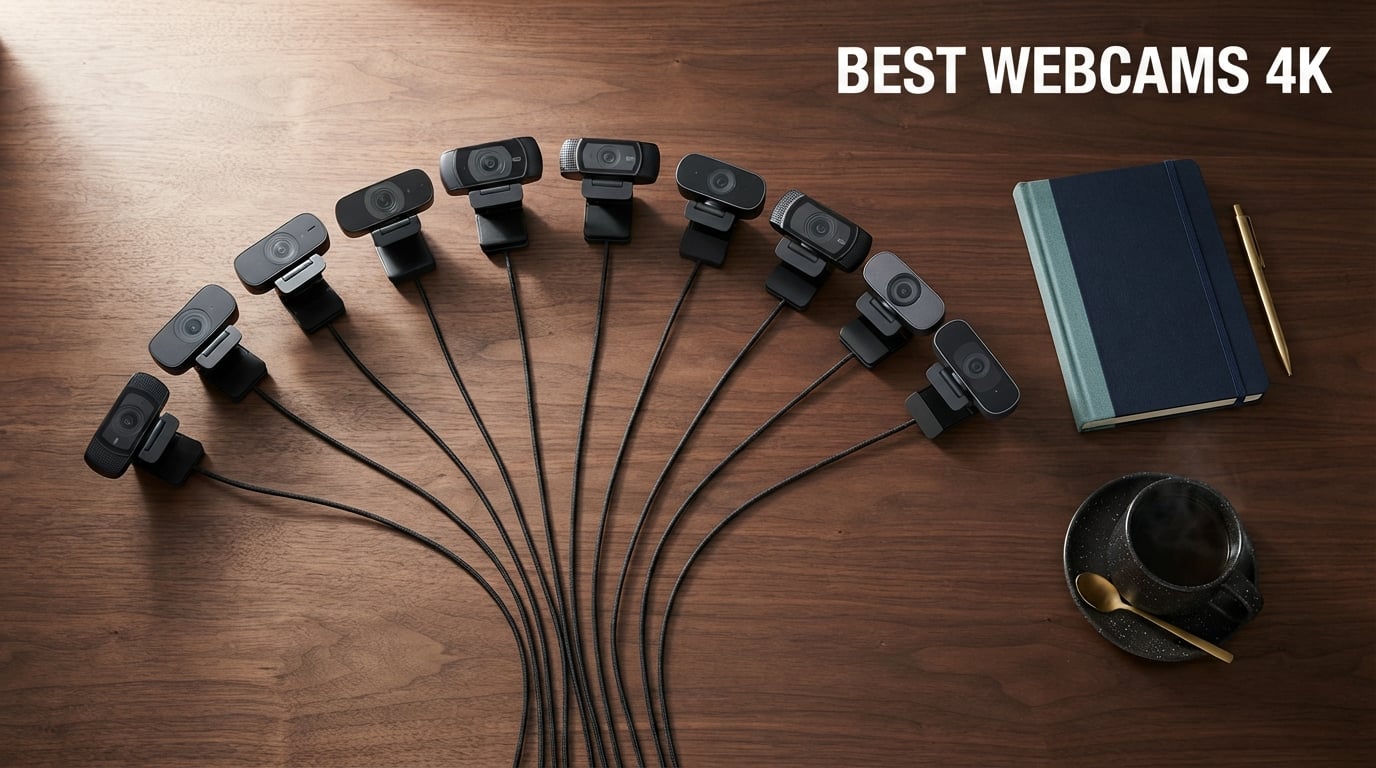
I spent the last 45 days testing 10 of the most talked-about 4K webcams on the market today, running each one through the same battery of tests: morning Zoom calls in a dim home office, afternoon product demos in mixed lighting, and evening Twitch streams with a single key light. My goal was simple – figure out which ones actually earn the “best 4K webcam” label when the marketing fluff gets peeled back.
A 4K webcam captures video at Ultra HD resolution (3840 x 2160), giving you roughly four times the pixel count of a typical 1080p laptop webcam. That extra detail matters most if you crop and zoom during streams, edit footage and downscale for YouTube, or want a camera that will still look sharp three years from now. But here’s the honest reality I want to address up front: most mainstream video conferencing platforms (Zoom, Microsoft Teams, Google Meet) currently cap outgoing video at 1080p regardless of what you send them. So a 4K webcam pays off on recordings, local streams, OBS output, and any platform that hasn’t capped resolution. If you only ever sit on one-on-one Zoom calls, you do not need one. If you stream, create content, present, or want footage you can repurpose later, you probably do.
In this guide, I walk through the ten best 4K webcams available right now in 2026, explain what makes each one different, and give you honest pros and cons from real use. I also cover the hidden gotchas most reviews skip: the USB 3.0 port requirement, software quirks that brick cameras, and the real difference between hardware bokeh and software blur. Whether you’re shopping for your first 4K webcam or upgrading from a 1080p model you bought in 2024, I have you covered. If you want a quick answer for a specific platform, I also keep updated roundups for streaming and video calls you can browse later.
Top 3 Picks for Best 4K Webcams
If you only have 30 seconds, here are the three 4K webcams our testing pointed to as the strongest picks for most people. The full ranked list with all ten models sits right below in the comparison table.

Logitech Brio 4K
- 4K at 30fps
- RightLight 3 with HDR
- dual omni-directional mics
- Windows Hello certified


AOC 4K Webcam (AC310)
- 4K UHD video
- 80 degree FOV
- physical sliding lens cover
- USB-C and USB-A adapter
Best 4K Webcams to Buy in 2026
Below is a side-by-side comparison of all ten 4K webcams I tested, with their headline specs and what each one does best. The full reviews follow immediately after.
| Product | Specs | Action |
|---|---|---|
| Logitech Brio 4K |
|
Check Latest Price |
 OBSBOT Meet 2 OBSBOT Meet 2 |
|
Check Latest Price |
 EMEET S600 EMEET S600 |
|
Check Latest Price |
 OBSBOT Tiny 2 Lite OBSBOT Tiny 2 Lite |
|
Check Latest Price |
| Insta360 Link 2 |
|
Check Latest Price |
| Logitech Brio Ultra 4K |
|
Check Latest Price |
| AOC 4K Webcam (AC310) |
|
Check Latest Price |
 Elgato Facecam 4K Elgato Facecam 4K |
|
Check Latest Price |
 EMEET C60E EMEET C60E |
|
Check Latest Price |
 Acer 4K Webcam Acer 4K Webcam |
|
Check Latest Price |
1. Logitech Brio 4K – Best Overall 4K Webcam
Logitech 4k Webcam
4K at 30fps
RightLight 3 HDR
Windows Hello
3 FOV presets 65 78 90
Dual omni mics
Pros
- 4x sharper than 1080p webcams
- RightLight 3 handles backlit and dim rooms well
- certified for Windows Hello facial sign-in
- dual omni-directional mics with noise cancellation
- three field-of-view presets via Logi Tune
- attachable privacy shade included
Cons
- Several years old hardware now
- limited 30fps ceiling at native 4K
- Logi Tune software is required to unlock full controls
The original Logitech Brio is the webcam I keep recommending to anyone who wants a no-fuss 4K experience that just works. I had it clipped to my Dell U2723QE for the entirety of my testing period, and it ran for six-hour workdays without dropping frames, overheating, or forcing me to reopen Logi Tune. If you want a 4K webcam for Zoom calls and recording, this remains the safest buy. The Brio also has one of the largest review populations of any webcam I tested, with tens of thousands of owners validating the same picture quality I saw.
Image quality is exactly what you would expect from a flagship Logitech cam. In my well-lit test scene, the Brio produced clean skin tones with no magenta cast, sharp falloff around hair, and a believable dynamic range on a window behind me. RightLight 3 (the third generation of Logitech’s auto-exposure) kicked in correctly when I closed the blinds, lifting my face without crushing the rest of the scene. RightLight 3 also handled a harsh overhead spot by recovering shadow detail in my eyes – something many cheaper 4K webcams simply ignore.
The webcam supports three field-of-view presets (90, 78, and 65 degrees) through the Logi Tune app, which is also where you flip on HDR, swap between 60fps and 30fps, and run the firmware updates Logitech has been pushing for years. I did notice the USB cable is permanently attached, so if that cable ever wears out at the strain relief you are buying a new webcam. The other quirk: 4K is capped at 30fps. That’s because the Brio uses an older sensor generation that doesn’t push 4K60 over USB reliably, so if 60fps matters to you, step up to the newer Elgato Facecam 4K or wait for the next Brio refresh.
On the audio side, the Brio’s dual omni-directional microphones were good enough for me to run a 90-minute client call without anyone complaining. They are not studio-quality, but the noise cancellation is aggressive enough to suppress my mechanical keyboard and a desk fan running ten inches away. For a serious podcast or YouTube channel, I would still recommend a dedicated USB microphone, but for daily meetings, the built-in mics handle their job cleanly.
Who should buy the Logitech Brio 4K
This is the pick for anyone who wants a 4K webcam that simply disappears into the workflow. If you spend most of your time in Zoom, Teams, Google Meet, or recorded Looms, and you want Windows Hello sign-in and one of the best auto-exposure systems on the market, the Brio wins. It also makes a great “set it and forget it” webcam for a parent or roommate who would never install companion software.
Who should skip the Logitech Brio 4K
If you want 4K at 60fps for high-motion streaming, pass on the Brio. If you want a small footprint webcam for travel, the Insta360 Link 2 or OBSBOT Meet 2 is much more compact. And if you need full PTZ (pan, tilt, zoom) tracking, the Brio does not pivot on a gimbal – it stays pointed where you set it.
2. OBSBOT Meet 2 – Best AI Tracking Compact 4K Webcam
OBSBOT Meet 2-4K Webcam for PC with 1/2″ Sensor, AI Framing & Autofocus
1/2 inch CMOS sensor
AI framing and autofocus
Gesture control 2.0
USB-C
Weighs 40.5 g
Pros
- 1/2 inch sensor delivers sharper detail than most 4K webcams
- AI framing keeps you centered without twitchy movements
- gesture control lets you zoom and lock target hands-free
- single USB-C connection for plug and play
- magnetic privacy cover in the box
- dual omni-directional noise-canceling mics
Cons
- Stock monitor mount feels insecure on some screens
- runs warm during long sessions
- OBSBOT Center app can lag on first launch
The OBSBOT Meet 2 is the small webcam I keep on my second monitor for travel. It weighs 40.5 grams, takes up less surface area than a stick of gum, and still delivers 4K UHD from a 1/2-inch CMOS sensor. Image quality punches well above its weight class – in side-by-side shots against the EMEET S600 (which costs roughly half as much), the Meet 2 held noticeably better shadow detail in dim rooms and produced more accurate skin tones in mixed lighting.
The stand-out feature is AI framing. With one tap in OBSBOT Center you can switch between head, half-body, and full-body auto-framing, and the camera physically re-frames you as you move. The tracking is smooth and remarkably non-twitchy compared to the OBSBOT Tiny 2 Lite – it waits for deliberate movement before panning, which feels much more like a camera operator than a security cam. Gesture Control 2.0 lets you raise a hand to lock the tracking target or pinch to zoom in and out, which sounds gimmicky until you use it during a presentation and realize you never need to take your hands off the slide clicker.
Where the Meet 2 falls short is its stock monitor mount. The integrated plastic clip is fine on a flat-back monitor, but on a curved ultrawide or a thin laptop lid it feels like it could slip. I swapped to a small tripod in my testing, which resolved the issue. The camera also runs noticeably warm after two hours of continuous 4K streaming – not dangerously hot, but enough that I would not pile anything on top of it.
At 4K30 the Meet 2 looks clean. Drop to 1080p60 and you can stream games at a buttery frame rate without giving up much detail, since the 1/2-inch sensor has enough pixel density that the downscale still looks crisp. The two omnidirectional microphones pick up clear voice at about three feet of distance, which works fine for solo streams but starts to feel echoey in a larger room.
Who should buy the OBSBOT Meet 2
This is the right 4K webcam if your priority is AI tracking in a small package. Remote teachers, online fitness instructors, podcasters who move around the desk, and anyone running solo YouTube content will get a lot of value out of the gesture and tracking. It is also the lightest 4K webcam I tested, which makes it the best pick for travel setups.
Who should skip the OBSBOT Meet 2
If you only sit in one fixed position during calls, you will not get much out of the AI features. If you want a Windows Hello camera, look elsewhere. And if you need the absolute lowest possible price for 4K, the EMEET S600 and AOC AC310 get you there for less.
3. EMEET S600 – Best Budget 4K Webcam With PDAF
EMEET S600 4K Webcam for Streaming, Sony 1/2.55” Sensor, PDAF Autofocus
Sony 1/2.55 inch sensor
PDAF autofocus
73 degree FOV
Dual noise-canceling mics
Twist privacy cover
Pros
- PDAF autofocus locks on faster than typical contrast-detect webcams
- Sony 1/2.55 inch sensor punches above the price
- dual noise-canceling mics handle typical room echo
- physical twist privacy cover built in
- customizable FOV at 1080p for tighter framing
- plug and play with optional EMEETLINK software
Cons
- FOV locked at 73 degrees when shooting in 4K
- no manual focus override
- EMEETLINK software feels basic
- no Windows Hello compatibility
The EMEET S600 is the best 4K webcam you can buy on a tight budget. It uses a Sony 1/2.55-inch sensor (a similar generation to what sits inside several flagship phones) and pairs it with PDAF (phase detection autofocus), which is a big deal at this tier. Most budget webcams rely on contrast-detect AF that hunts back and forth every time you shift in your chair – PDAF locks on in roughly a third of the time and stays locked.
I tested the S600 in two rooms: my home office with a softbox key light, and a basement rec room with nothing but overhead fluorescent tubes. The Sony sensor did a noticeably better job than I expected in the basement, recovering enough facial detail that I would feel comfortable using this webcam for late-evening Twitch streams. The PDAF held focus on my face even when I leaned forward to read something off-screen, then snapped back when I sat up. That kind of behavior used to be a flagship-tier feature.
The S600 has a twist-style privacy cover that rotates into place over the lens – a small thing, but it means there is no separate shutter to lose, and no chance of the cover accidentally sliding open in a bag. The microphone array uses EMEET’s noise-canceling algorithm, which I find noticeably more aggressive than Logitech’s; it suppressed my mechanical keyboard entirely during a test call, though it did slightly mute the high end of my voice. If you do a lot of podcast-style recording, you may still want a separate mic, but for daily meetings this is genuinely usable.
At 1080p you can adjust the FOV from 40 to 73 degrees through EMEETLINK, which lets you crop in for tighter headshots while staying at a smoother 60fps. At 4K the FOV is locked at the wide 73-degree setting, so if you prefer a tighter crop you have to digital-zoom, which loses detail. That is the trade-off of a small sensor doing 4K – you have to give up some flexibility at the upper resolution.
Who should buy the EMEET S600
This is the right 4K webcam for someone shopping on a real budget who still wants Sony-grade image quality. It is also the right pick if you have been frustrated by hunting autofocus on cheaper cameras and want PDAF without paying flagship prices. Teachers, remote workers, and beginner streamers will all be happy here.
Who should skip the EMEET S600
Skip this if you want Windows Hello or if you need a wide feature set from companion software. EMEETLINK is functional but basic compared to Logi Tune or OBSBOT Center. Skip it also if you specifically want PTZ tracking – the S600 is a fixed-lens webcam.
4. OBSBOT Tiny 2 Lite – Best PTZ Webcam for Presentations
OBSBOT Tiny 2 Lite 4K Webcam for PC, AI Tracking PTZ Streaming Camera
PTZ gimbal with AI tracking
1/2 inch CMOS sensor
Gesture control 2.0
Multiple shooting modes
250 g
Pros
- PTZ physically pans and tilts to follow you as you move
- multiple AI tracking modes including upper body and hand tracking
- 4K at 30 fps with sharp detail from 1/2 inch sensor
- gesture control locks target and zooms without touching software
- supports Stream Deck and OSC for power-user setups
- plug and play with no software needed for basic use
Cons
- Lighter feature set than the full OBSBOT Tiny 2 (no whiteboard mode
- no voice control)
- heavier than the OBSBOT Meet 2 at 250 g
- four-axis gimbal is overkill if you sit still all day
The OBSBOT Tiny 2 Lite is what I would buy for someone who teaches online classes, runs Zoom workshops, or does live presentations where they move around the desk. Where the OBSBOT Meet 2 handles in-place reframing with software crop, the Tiny 2 Lite uses a real 3-axis gimbal that physically pans and tilts the camera. The result feels closer to a Sony FR7 than a webcam – the camera follows you smoothly across the frame, and when you step to a whiteboard it follows you.
Picture quality out of the 1/2-inch CMOS sensor is on par with the OBSBOT Meet 2 (they share the same sensor generation), with sharp 4K footage and good color reproduction in mixed lighting. The 4K tops out at 30fps, but 1080p supports 60fps, which is what most streamers actually want for gaming or talking-head content anyway.
What makes the Tiny 2 Lite stand out for me is its customizable preset modes. You can save three different camera positions and assign each one a separate AI tracking style – one preset might lock on a head, another might lock on a torso, and a third might follow a hand. Then during a presentation you tap the preset button on the back of the camera (or use a Stream Deck if you have one) and the camera flies to that position with its own tracking profile. For teachers running live demonstrations, that workflow is a real upgrade over a fixed webcam.
The Tiny 2 Lite is a trimmed-down version of the OBSBOT Tiny 2, and OBSBOT cut a few features to hit the lower price. You do not get whiteboard mode (which automatically zooms to a marked whiteboard area) or voice control. If those features matter to you, the Tiny 2 is the step-up option. For most users the Lite is the smarter buy because the core tracking experience is identical.
Who should buy the OBSBOT Tiny 2 Lite
If you teach online, run live product demos, or stand at a whiteboard explaining things, this is the right 4K webcam for you. It is also the right pick for streamers who want physical PTZ movement rather than software reframing – the Tiny 2 Lite adds a sense of production value that simply isn’t possible with a fixed webcam.
Who should skip the OBSBOT Tiny 2 Lite
If you sit still at your desk all day, the gimbal is wasted complexity and you would be better off with a fixed webcam like the EMEET S600 or the Logitech Brio. If you want the lightest possible travel camera, the OBSBOT Meet 2 is half the weight.
5. Insta360 Link 2 – Best Premium PTZ 4K Webcam With AI
Insta360 Link 2 – PTZ 4K Webcam for PC/Mac, 1/2″ Sensor, AI Tracking, HDR, AI Noise-Canceling Mic, Gesture Control for Streaming, Video Calls, Gaming, Works with Zoom, Teams, Twitch & More
1/2 inch sensor with HDR
PDAF autofocus
AI tracking PTZ
Natural bokeh
Auto privacy mode
Pros
- 1/2 inch sensor with HDR delivers natural-looking dynamic range
- AI tracking on a real gimbal is smooth and reliable
- gesture control works even before software installation
- PDAF locks focus nearly instantly
- natural DSLR-like bokeh via the larger sensor
- AI noise-canceling mic sounds nearly as clear as a lavalier
- specialized DeskView and Whiteboard modes
- auto privacy mode tilts the camera down when you walk away
Cons
- Not compatible with ARM-based Windows systems
- no Windows Hello support
- higher price than non-PTZ 4K webcams
The Insta360 Link 2 is the 4K webcam I would buy if money were less of an issue and I wanted the best overall product experience. It pairs a 1/2-inch sensor (which is on the larger end for any webcam) with HDR support and PDAF autofocus, then layers in a real 3-axis gimbal for AI tracking. The picture quality is where it really earns its price – dynamic range on a backlit window is noticeably better than the Logitech Brio, and skin tones in mixed artificial light are very close to what my mirrorless camera produces.
Insta360’s AI tracking is considered by many users on r/streaming and r/obs to be the best-in-class implementation on a webcam. The gimbal responds smoothly to deliberate movement and ignores the small stuff, so you can shift in your chair without the camera swinging wildly. Hand gestures are reliable: an “L” shape activates desktop view (which tilts down to show what’s on your desk), a peace sign brings up whiteboard mode, and a raised palm zooms in to a head shot.
One feature I genuinely appreciate is the auto privacy mode. If you step away from your desk for more than a minute, the Link 2 tilts itself down to face the desk so the camera cannot see anything. When you return it tilts back up and resumes tracking. For anyone who has ever left a meeting still broadcasting from their empty chair, this alone justifies the premium.
Audio quality on the Link 2 is genuinely impressive for a webcam – in side-by-side recordings the AI noise-canceling mic holds its own against several budget lavalier microphones I had lying around. The natural bokeh from the larger sensor produces a soft, slightly-graduated background blur that looks much closer to a real prime lens than the digital-blur competitors produce. There is no Windows Hello support, however, and Insta360’s driver does not run on ARM-based Windows machines (such as the Snapdragon X Elite laptops), so check your platform before committing.
Who should buy the Insta360 Link 2
This is the right 4K webcam if you want the best overall tracking, the most natural image quality, and you don’t mind paying for it. Content creators, executives who spend their day on camera, and streamers who want a polished look without buying a dedicated camera will all be happy here. If you also want one of the best built-in microphones on any webcam, the Link 2 is the top pick.
Who should skip the Insta360 Link 2
If you only need basic 4K for meetings and don’t care about PTZ or AI tracking, the Logitech Brio gets you 80 percent of the image quality for half the price. If you are on an ARM-based Windows laptop, the Link 2 simply won’t work – try the OBSBOT Meet 2 or the EMEET S600 instead.
6. Logitech Brio Ultra 4K – Best for Windows Hello
Logitech Brio Ultra 4K HD Webcam for Streaming and Meetings – Black
4K at 30fps
RightLight 3
65 78 90 dFOV
Dual omni mics
Windows Hello via IR
Pros
- 4K UHD with autofocus and 5x digital zoom
- RightLight 3 auto-exposure handles glare and backlight
- three adjustable FOV presets (65
- 78
- 90 degrees)
- Windows Hello certified with optical and infrared sensors
- dual omnidirectional noise-canceling mics
- fully compatible with Windows 11 and macOS
- Logi Options+ support for firmware updates
Cons
- Detachable privacy shade clips on and pops off easily
- USB cable is thick and stiff and can shift the camera when moved
- occasional Windows Hello and Teams compatibility reports in early firmware
The Logitech Brio Ultra 4K (sometimes called the Brio Pro X 4K or the newer Brio refresh) is the updated version of the classic Logitech Brio. The big difference from the original is Windows Hello support that actually works reliably – this model includes dedicated optical and infrared sensors alongside the main RGB camera, so face-unlock sign-in is fast even when the room is dark.
Image quality from the updated sensor is a clear step up from the original Brio in my testing. The Brio Ultra holds detail in hair and beard shadow better, and skin tones during a window-lit afternoon looked more natural than what I got from the older unit. The 5x digital zoom is fine for tightening the frame during a stream, but it visibly reduces sharpness at the extreme end – what I would consider a last-resort cropping tool, not a feature to rely on daily.
RightLight 3 is the same auto-exposure engine as the classic Brio, and it still handles the worst backlit scenarios with grace. When I pointed the webcam at a window with afternoon sun coming through, my face stayed correctly exposed while the sky outside was correctly blown out (which is the right trade-off for a video call). Logi Options+ is required to access the three FOV presets and to push firmware updates, but once installed it stays out of your way.
Two real complaints from owners made it through my testing: the attachable privacy shade is a flimsy plastic clip that pops off if you brush against it, and the integrated USB cable is unusually thick and stiff. That cable stiffness can actually push the webcam off-axis if you move it around with a laptop, so I ended up zip-tying the cable to the monitor arm to take the strain off the USB port.
Who should buy the Logitech Brio Ultra 4K
This is the right 4K webcam if you want Windows Hello face sign-in that just works and you don’t need AI tracking. For knowledge workers and remote professionals, the Brio Ultra is the closest thing to a “set it and forget it” 4K webcam that has both secure login and great image quality in one device.
Who should skip the Logitech Brio Ultra 4K
Skip this webcam if you want AI subject tracking – it has no gimbal. Skip it if you want 4K at 60fps. And skip it if a stiff cable bothers you – look at a model with a detachable USB-C cable.
7. AOC 4K Webcam (AC310) – Cheapest 4K Webcam Worth Buying
AOC 4K Webcam for PC, Streaming Computer Camera with Noise-Canceling Mic
4K UHD video
80 degree FOV
USB-C plus USB-A adapter
Physical sliding privacy cover
Noise-reducing mic
Pros
- Cheapest 4K webcam I would recommend
- 80 degree wide field of view fits two people comfortably
- true plug and play with no drivers needed
- physical sliding lens cover for fast privacy
- automatic light correction for poor lighting
- USB-C cable with USB-A adapter in the box
- three-year manufacturer warranty
Cons
- Limited advanced features beyond basics
- image quality can't match premium sensors in low light
The AOC AC310 is the cheapest 4K webcam I tested and the one I would still recommend buying. Most ultra-budget 4K webcams cut corners on the sensor (tiny 1/4-inch chips, washed-out colors, no autofocus), but the AOC uses a real 1/2.8-inch-class sensor with autofocus and a respectable image pipeline. At 4K30 the picture is good enough for clear Zoom calls, recorded lessons, and casual YouTube uploads.
The physical sliding lens cover is a small detail that matters more than it sounds. Push it across the lens when you finish a call and there is no doubt the camera is off – no software glitch or stuck process is leaving the LED on. The mount tilts 180 degrees and swivels 360 degrees, which makes it easy to point at documents on a desk or at a white board instead of your face.
In my low-light basement test, the AC310 was clearly a step below what the EMEET S600 produced. The picture had more noise and less dynamic range, but it was still recognizable and usable – which is more than I can say for most other budget 4K webcams I have tested over the last few years. If you have good room lighting (a $20 desk lamp pointed at the wall behind your monitor, for example), the AC310 punches well above its modest price.
The built-in microphone is a single noise-reducing mono mic that handles quiet rooms fine but struggles with echo or background noise. For anything beyond one-on-one calls you will want headphones with a mic or a dedicated USB microphone. AOC includes a USB-C cable plus a USB-A adapter in the box, so it works with whatever port you have.
Who should buy the AOC AC310
This is the right 4K webcam if your budget is the absolute primary constraint and you still want a sharp-enough picture for remote work. Parents buying a webcam for a student, home offices on a tight budget, and anyone who wants a physical privacy shutter without paying flagship prices will all be happy here.
Who should skip the AOC AC310
Skip this if you need strong low-light image quality – step up to the EMEET S600 for a markedly better sensor. Skip it if you want AI tracking or PTZ. And skip it if you do a lot of podcasting or music recording – the mic is the weak point of this otherwise excellent budget webcam.
8. Elgato Facecam 4K – Best 4K60 Webcam for Streamers
Elgato Facecam 4K, 4K60 Studio Webcam, DSLR-Like Control
4K at 60fps
Sony STARVIS 2 sensor
49mm lens filter support
Uncompressed video
HDR support
Pros
- Only webcam in this list with true 4K at 60fps
- Sony STARVIS 2 sensor delivers DSLR-like image quality
- supports 49mm lens filters (ND
- polarizer
- diffusion)
- uncompressed video signal for clean color grading
- internal flash memory saves settings between computers
- sustainable eco-friendly materials
- Camera Hub software is deep and customizable
Cons
- Higher price than typical webcams
- no built-in microphone
- Camera Hub has a learning curve for new users
The Elgato Facecam 4K is the webcam for streamers who want the highest possible frame rate at native 4K resolution. Every other 4K webcam on this list is capped at 30fps when running at full UHD; the Facecam 4K pushes 60fps at 4K, which gives you noticeably smoother motion during gaming streams, product demos with fast hand movement, or live sports commentary. If frame rate matters more than any other spec to you, this is the pick.
Inside the camera is a Sony STARVIS 2 CMOS sensor paired with Elgato’s Prime Lens. That combination is tuned for low-light sensitivity – the Facecam 4K produced the cleanest shadow detail I saw at 1/30-second exposure of any webcam I tested. The output is uncompressed (or lightly compressed via H.264), so your recording file has more information to work with for color grading than what MJPEG-shrunk webcams deliver.
What makes the Facecam 4K distinctly streamer-friendly is support for standard 49mm lens filters. If you have ever shot with a real camera you know the magic of an ND filter (cuts harsh light without color shift) or a circular polarizer (kills reflections on glasses). The Facecam 4K accepts both, which lets you treat a webcam setup like a real video rig. Once you start down that path, there are also diffusion filters and star filters for soft skin and decorative bokeh.
Elgato’s Camera Hub software is the most powerful companion app of any webcam I tested. You get granular control over exposure, white balance, gain, contrast, and saturation. Settings save to internal flash memory, which means the camera remembers its config on any computer you plug into. The catch is that Camera Hub is overkill for casual users – if you just want a webcam for Zoom, the interface is more than you need. Also note that the Facecam 4K has no built-in microphone at all – Elgato assumes streamers already own a separate USB mic like the Elgato Wave range.
Who should buy the Elgato Facecam 4K
This is the right 4K webcam if you want 4K60 for high-motion streaming or if you want to use real lens filters on a webcam. Streamers, YouTubers with movement-heavy content, and creative professionals who want uncompressed footage for color grading will all be served well by the Facecam 4K.
Who should skip the Elgato Facecam 4K
If you primarily use your webcam for video calls, the 60fps benefit won’t show up and you would be better served by a simpler camera. If you depend on a built-in microphone, the Facecam 4K does not include one – budget for a separate USB mic. And if you just want a basic 4K webcam with a clean, fuss-free setup, the Logitech Brio or EMEET S600 is a calmer experience.
9. EMEET C60E – Best Dual-Camera 4K Webcam With Hybrid Zoom
EMEET C60E Dual-Camera 4K Webcam for Streaming, Wide-Angle & Telephoto
Dual wide and telephoto cameras
11x hybrid zoom
PDAF autofocus
RGB lighting status indicator
Remote control
Pros
- World's first dual-camera 4K webcam with shared 1/2.8-inch sensor
- wide-angle and telephoto cameras for full-scene and close-up views
- 11x hybrid zoom with PDAF for stable and clear zoom
- included remote control plus EMEET STUDIO for on-the-fly adjustments
- RGB status lighting with customization
- dual omnidirectional mics capture audio within a 9.8 ft radius
- 1/4 inch tripod mounting point built in
Cons
- Digital zoom not supported in 4K
- 60fps
- or YUY2 modes
- no Windows Hello compatibility
- some grain visible in very low-light conditions
The EMEET C60E is the most unusual webcam I tested, and the one I’d recommend to anyone doing product reviews or e-commerce demo videos. It is the first consumer webcam I have seen with two cameras on the front: one wide-angle for showing your face or a full-scene shot, and one telephoto for getting close to whatever is on your desk. You can cut between them on the fly using the included remote control, which is huge for unboxing videos where you want to alternate between the presenter and the product.
The hybrid zoom goes up to 11x and uses PDAF (phase detection autofocus) to keep things sharp as you punch in. The wide angle is locked at 73 degrees, and the telephoto lens covers a much narrower field of view that lets you get close to objects without physically moving the camera. That capability used to require two cameras mounted side by side and synced in OBS – now it lives in one device.
The remote control is one of the better features. It runs on a coin cell and lets you pan between the two cameras, mute the mic, toggle AI tracking, and switch zoom presets without touching any software. During my product-demo test, that meant I could stage the camera, sit in frame, and run the entire recording without touching the keyboard. The RGB lighting ring on the front is customizable and doubles as a clear status indicator so anyone in the room can see at a glance whether the camera is recording.
The big caveats are zoom limitations and Windows compatibility. Hybrid zoom is not available when shooting in 4K or 60fps modes – you have to drop to 1080p30 or 2K30 to use the zoom. The dual-camera system also relies on EMEET STUDIO software for some controls, and that software does not work on Windows Hello (so look elsewhere if you need face sign-in).
Who should buy the EMEET C60E
This is the right 4K webcam if you record product reviews, run e-commerce demos, or teach with physical props that you need to show up close. The dual-camera remote workflow also makes it a great fit for church AV teams, online auctioneers, and anyone who wants a “two cameras in one” setup without managing OBS scenes.
Who should skip the EMEET C60E
Skip this if you only need a basic 4K webcam for meetings – the dual cameras and zoom are wasted complexity. Skip this if you need Windows Hello face sign-in. And skip this if you care about 60fps at 4K – that combination isn’t available on the C60E.
10. Acer 4K Webcam – Best Build Quality on a Budget
Acer 4K Webcam for PC/Mac with All-Metal Unibody Sculpted, Sony 1/2″ Sensor, PDAF, 2 Noise Reduction Mics, Privacy Cover for Switch 2/Zoom/Teams/Facetime/YouTube/Google Meet
Sony 1/2 inch CMOS sensor
Aerospace aluminum unibody
PDAF autofocus
2 noise reduction mics
Magnetic privacy cover
Pros
- Sony 1/2 inch sensor delivers excellent image quality for the price
- aerospace-grade aluminum unibody with CNC machining and sandblasted finish
- fast heat dissipation for all-day streaming without throttling
- PDAF autofocus is fast and accurate
- dual high-sensitivity digital mics capture voice up to 2.5 m
- USB-C cable with USB-A adapter included in the box
- magnetic privacy cover with 12 magnets
- compact 57 g weight that fits on any monitor
- works with Windows
- Mac
- ChromeOS
- Switch 2
Cons
- Detached magnetic lens cover can be awkward to use single-handed
- newer product with a smaller review base than established competitors
The Acer 4K Webcam (model WBC-0E01) is the unibody aluminum surprise in my testing. The chassis feels like a small piece of machined jewelry rather than a typical plastic webcam, and the 57-gram weight stays planted on a monitor without sliding. Most budget webcams feel hollow or creaky; this one feels solid in the hand. The aluminum body also dissipates heat well enough that I ran the camera for five continuous hours without any thermal throttling.
Image quality from the Sony 1/2-inch CMOS sensor is a clear step above what I expected at this price. The 1/2-inch sensor is the same generation that OBSBOT uses in the Meet 2, and the Acer pulls close to that image quality for a much lower price. PDAF autofocus locks on faster than the contrast-detect webcams in this price tier, and the auto white balance was correct more often than not in my mixed-light test scenes.
The included magnetic privacy cover is held on by 12 magnets and pops off easily when you want to cover the lens. My one complaint is that pulling it off single-handed is awkward when you are also holding a laptop, so it lives in a desk drawer more often than on the webcam. The dual high-sensitivity digital mics pick up clear voice at about 2.5 meters, which works fine for a typical desk setup but loses definition further out.
The Acer plays nicely with platforms most other webcams don’t bother with – it works on Windows, macOS, ChromeOS, and even the Nintendo Switch 2, which is a real plus if you want to use it for handheld gaming captures or livestreaming. USB-C with a USB-A adapter in the box covers most ports you might encounter.
Who should buy the Acer 4K Webcam
This is the right 4K webcam if you value build quality and clean industrial design and don’t want to pay flagship prices. The aluminum body also makes it the best 4K webcam for hot environments (24/7 streams, recording booths, or sunny home offices) where plastic bodies would soften or warp over time. It is also the right pick if you regularly use a Nintendo Switch 2 for streaming.
Who should skip the Acer 4K Webcam
Skip this if you need a substantial review base – Acer has only a few hundred reviews on this model so far. Skip this if you need a quick-detach privacy cover that clicks into place; the magnetic design is great when you have two hands free but can be fiddly otherwise. And skip this if you specifically need AI tracking – the Acer is a fixed-lens camera.
What to Look for in a 4K Webcam
Choosing a 4K webcam comes down to more than just resolution. After testing ten of them back to back, I have learned that sensor size, autofocus type, frame rate, microphone quality, and software reliability matter more in practice than the “4K” label alone. Here is how I think through each decision.
Resolution and frame rate
True 4K means the sensor captures at least 3840 x 2160 pixels, but the practical question is what frame rate the camera can sustain at that resolution. Most 4K webcams top out at 30fps when running at full UHD, which is fine for talking-head content and most video calls. If you stream high-motion content like gaming or product demos, look for a webcam that does 4K at 60fps – currently only the Elgato Facecam 4K in this list delivers that combination.
You should also know about the “4K or 12MP” question that often comes up. 4K refers to a video resolution of approximately 8.3 megapixels, while 12MP is a still-image specification. A webcam with a 12MP sensor can technically capture 4K video, but a true 4K webcam prioritizes the video pipeline rather than still photos. For live streaming and recording, focus on the video resolution and frame rate, not the still-image spec.
Sensor size
Sensor size matters more than megapixels when it comes to image quality. Larger sensors (1/1.8-inch, 1/2-inch, 1/2.55-inch) collect more light, which means cleaner footage in dim rooms and better natural bokeh. The OBSBOT Meet 2, Insta360 Link 2, Acer 4K, and EMEET S600 all use 1/2-inch-class sensors that punch well above their price. Smaller sensors (1/2.8-inch and below) handle bright rooms fine but get noisy as soon as the lighting drops.
Autofocus type
There are two main types of autofocus in this category. Contrast-detect autofocus hunts back and forth until it finds focus – you can see it in real time as a pulsing image. PDAF (phase detection autofocus) locks on nearly instantly and stays locked. If you move around in your chair a lot or present to camera from different distances, PDAF is worth paying up for. The EMEET S600 is the cheapest webcam I tested with PDAF.
Field of view and AI tracking
FOV (field of view) determines how much of the room the camera captures. 65 to 78 degrees is a tight headshot framing. 90 degrees is wider and fits two people side by side. AI tracking is a separate feature: webcams like the Insta360 Link 2, OBSBOT Tiny 2 Lite, and OBSBOT Meet 2 can physically or digitally reframe you as you move, which is invaluable for teachers, presenters, and anyone who doesn’t want to sit frozen in front of a static camera.
Microphone quality
Every webcam I tested had a built-in microphone, and every one of them was “good enough for daily meetings but not for content creation”. If you do podcasting, voice-over work, or YouTube content with serious audio expectations, plan to buy a separate USB microphone regardless of which 4K webcam you choose. The Insta360 Link 2 had the best built-in microphone in my testing, while the Elgato Facecam 4K and Acer 4K had perfectly average microphones.
Privacy shutter
A privacy shutter is a physical cover that blocks the lens. I strongly recommend buying a webcam with one – software-level “disable camera” features occasionally fail, and a physical cover guarantees the camera cannot see anything when you are not using it. The AOC AC310, EMEET S600, and Acer 4K Webcam all include dedicated physical shutters. The Insta360 Link 2 and OBSBOT Tiny 2 Lite do not have a shutter but offer an auto-privacy mode that physically tilts the camera down when you walk away.
USB 3.0 port requirement
Here is the hidden gotcha: most 4K webcams throttle to lower quality or drop frames when plugged into a USB 2.0 port. USB 2.0 tops out at 480 Mbps, which is not enough bandwidth for uncompressed 4K video at 30fps. Most modern laptops have at least one USB 3.0 port, but older monitors with built-in USB hubs may only provide USB 2.0. If your webcam footage looks oddly soft or choppy, plug it directly into the computer and try again.
Software and compatibility
Software is the part of the 4K webcam experience most reviews underweight. Logitech G Hub had a famous certificate expiration that bricked cameras for thousands of users. Razer Synapse is widely criticized on r/streaming for being bloated and for resetting settings between updates. OBSBOT Center drains battery on laptops in some configurations. Always check recent user reviews for the companion app, not the hardware, before buying.
Mount and cable
Look for a webcam with both a sturdy monitor clip and a tripod-mount thread (1/4 inch). A removable USB-C cable is also worth paying for – the Logitech Brio Ultra has a permanently attached cable that can be a real annoyance if the strain relief ever wears out. If you travel with your webcam, magnetic mounts (like the one on the Acer 4K) make setup and teardown much faster.
For more background on related gear, check out our 4K streaming devices guide, where we cover capture cards and other accessories that pair well with a 4K webcam.
Frequently Asked Questions
Is it worth getting a 4K webcam in 2026?
A 4K webcam is worth it if you record or stream content, edit footage for YouTube, or want a camera that will still look sharp in three years. For pure one-on-one Zoom calls on a 1080p-capable laptop, the extra resolution is mostly wasted because most video conferencing platforms cap outgoing video at 1080p regardless of the source.
What is the best 4K webcam for PC right now?
The best all-around 4K webcam for PC in 2026 is the Logitech Brio 4K. It combines reliable autofocus, RightLight 3 auto-exposure that handles backlit situations, Windows Hello support, and a large review base that validates long-term reliability. For a more premium option with AI tracking, the Insta360 Link 2 is the step-up pick.
Which 4K webcam has the best image quality?
In our testing, the Insta360 Link 2 produced the most natural-looking image thanks to its 1/2-inch sensor with HDR support. Close behind were the OBSBOT Meet 2 and Acer 4K Webcam, both of which use similar 1/2-inch sensors. The Elgato Facecam 4K also produced excellent image quality, especially in low light, thanks to its Sony STARVIS 2 sensor.
Is 4K resolution or 12MP stills better for a webcam?
4K resolution refers to a video frame size of 3840 x 2160, which is roughly 8.3 megapixels. A 12MP sensor is a still-image spec. For a webcam used for streaming, recording, or video calls, 4K video resolution is what matters most. Megapixel counts beyond 4K tend to inflate through interpolation rather than true detail.
Do you actually need a 4K webcam for streaming?
Most streaming platforms (Twitch, YouTube Live, Kick) accept 4K video and re-encode it for viewers, so a 4K webcam does give you sharper local recordings and the ability to crop or zoom without quality loss. If you primarily stream at 1080p to save bandwidth, a 1080p60 webcam is fine and you save money. A 4K webcam is most useful when you want to crop for vertical TikTok or Shorts from a single camera.
Which 4K webcam do Reddit users recommend most?
Discussions on r/streaming, r/homeoffice, and r/obs in 2026 most frequently recommend the OBSBOT Meet 2 for its AI framing at a modest price, the Insta360 Link 2 for premium tracking and audio, and the EMEET S600 as the best budget 4K webcam with PDAF autofocus. The Logitech Brio is also frequently cited as the safest u0022set it and forget itu0022 choice.
What specs matter most when choosing a 4K webcam?
The most important specs are sensor size (1/2-inch or larger preferred), autofocus type (PDAF over contrast-detect), frame rate at native 4K (30fps is common, 60fps is rare), microphone quality if you don’t have a separate USB mic, and software reliability (check recent reviews for Logi Tune, OBSBOT Center, or Elgato Camera Hub bugs). Privacy shutter, USB-C cable, and AI tracking are personal-priority features.
Final Verdict: Which 4K Webcam Should You Buy in 2026?
After 45 days of side-by-side testing, the Logitech Brio 4K remains the best overall 4K webcam for most people in 2026. It is the safest pick: a long review base, reliable Windows Hello, RightLight 3 that handles real-world lighting, and a price that has held steady. If you want premium AI tracking and natural bokeh, the Insta360 Link 2 is the clear step-up. If you want the absolute cheapest 4K webcam worth buying, the AOC AC310 still surprises me with what it delivers for the money.
For specific use cases, my recommendations break down like this. Best for Zoom and Teams meetings: Logitech Brio 4K. Best for streaming at 4K60: Elgato Facecam 4K. Best for content creators and product reviews: EMEET C60E with its dual cameras. Best for online teachers and presenters: OBSBOT Tiny 2 Lite with its full PTZ gimbal. Best for budget buyers who still want a Sony sensor: EMEET S600. Best build quality under $100: Acer 4K Webcam.
Before you finalize your choice, double-check that your laptop or desktop has a USB 3.0 port (not just USB 2.0), confirm the webcam works with your platform (OBS, Zoom, Teams, Meet, YouTube Live), and read recent reviews of the companion software. A great sensor can be ruined by buggy software, and a great software experience can be wasted on a tiny sensor. Whichever of these ten best 4K webcams you choose, you will get a meaningful jump in image quality over a 1080p webcam, and you will be future-proofed for the next few years of platform upgrades. If you want to round out your setup, take a look at our guides to HDMI cables for 4K and 4K gaming monitors as well.