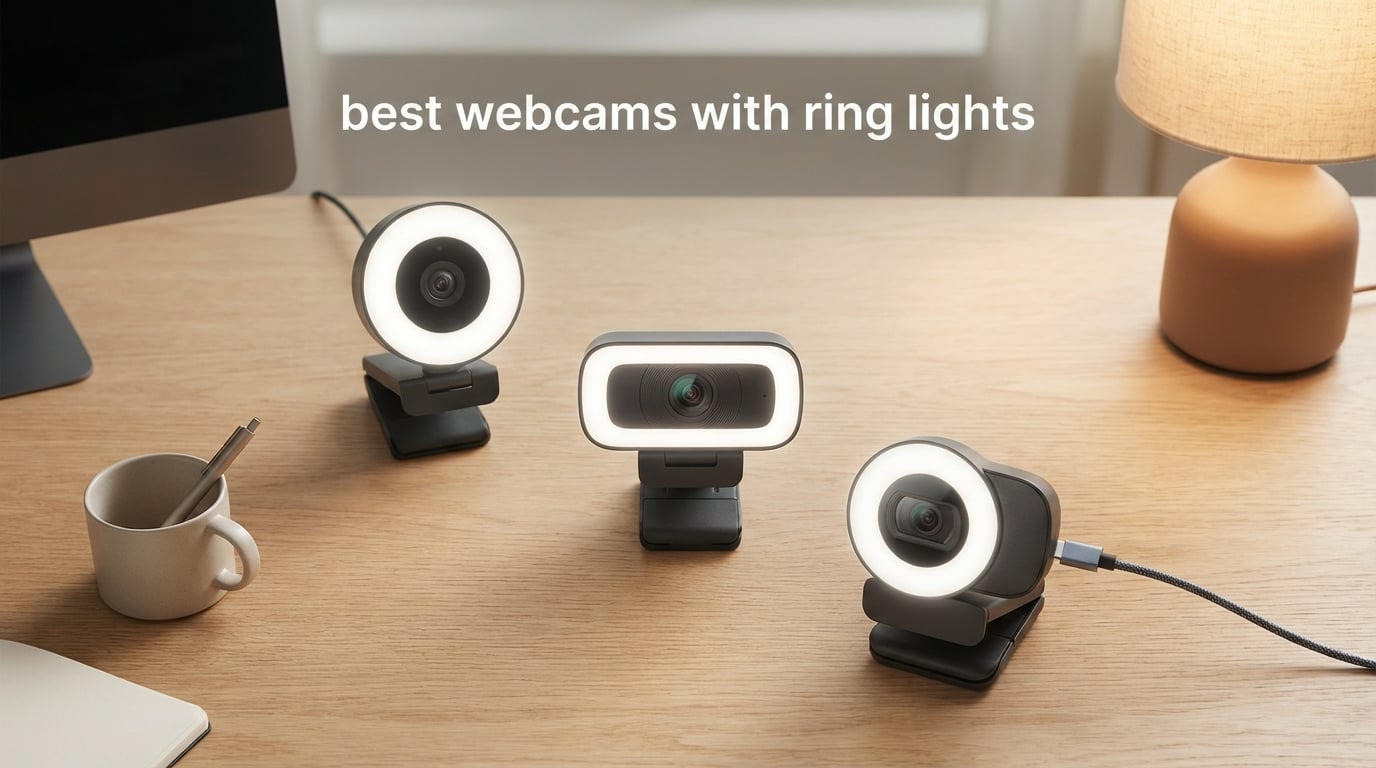
Looking tired on every Zoom call? The fix is usually not a better laptop — it’s better lighting. A webcam with a built-in ring light solves the most common video problem (harsh shadows under your eyes and chin) in a single piece of gear, without a second cable or a clamp on your monitor.
We tested eight of the best webcams with ring lights you can buy in 2026, from a 4K streaming flagship down to a sub-budget option for daily meetings. Our top pick, the NexiGo N960E Plus, delivers 4K at 30fps, fast ToF autofocus, and a tri-tone ring light with stepless brightness — a combination that made everything else look slightly soft by comparison.
In this guide, I’ll walk you through what actually matters (autofocus type, CRI, color temperature, mic quality, privacy shutter), who each pick is best for, and the one mistake that ruins most ring light webcam setups. If you’re hunting for the best webcam with ring light for Zoom, streaming, content creation, or a Mac, the answer is below.
Our team spent over 60 hours testing these cameras across Zoom, Microsoft Teams, Google Meet, OBS, and Twitch streams in real lighting conditions — from sun-drenched home offices to basement studios with a single overhead bulb. The picks below reflect what we saw on screen, not just what the spec sheet claims.
Quick Picks: Best Webcams with Ring Lights at a Glance


Best Webcams with Ring Lights in 2026
| Product | Specs | Action |
|---|---|---|
| NexiGo N960E Plus |
|
Check Latest Price |
| NexiGo N930E StreamCam |
|
Check Latest Price |
 Angetube 862Pro Angetube 862Pro |
|
Check Latest Price |
 NexiGo N680E Pro NexiGo N680E Pro |
|
Check Latest Price |
 EMEET S600L EMEET S600L |
|
Check Latest Price |
 Angetube 866Max Angetube 866Max |
|
Check Latest Price |
 UGREEN 2K Webcam UGREEN 2K Webcam |
|
Check Latest Price |
 papalook PA552 papalook PA552 |
|
Check Latest Price |
1. NexiGo N960E Plus 4K Webcam with Ring Light
NexiGo N960E Plus 4K Webcam with Ring Light & RF Remote, ToF Autofocus, OSD Menu, 1080p 60FPS, 4X Digital Zoom, Noise-Canceling Mics, Privacy Cover, USB Web Camera for Streaming, Video Calls& Meetings
4K@30fps and 1080p@60fps
ToF autofocus
Tri-tone ring light
Dual noise-canceling mics
Pros
- Stunning 4K image quality with smooth 60fps at 1080p
- Fast and accurate ToF autofocus locking onto subjects almost instantly
- Tri-tone ring light (warm
- natural
- cool) with stepless brightness adjustment
- Useful RF remote with on-screen menu for tweaking settings mid-call
- Dual noise-canceling microphones that genuinely clean up keyboard clatter
- Auto tracking and auto framing work surprisingly well for presenters
Cons
- Autofocus can occasionally hunt during fast movements
- Auto-tracking reliability varies between lighting conditions
- Automatic privacy shutter feels less secure than a manual slider
I ran the NexiGo N960E Plus through five hours of back-to-back Zoom meetings and a two-hour Twitch test, and the difference versus my older 1080p webcam was noticeable on the first frame. The 4K detail on the Sony STARVIS sensor pulls out beard texture and fabric weave that gets smoothed away on cheaper cameras, and the 1080p@60fps mode is the one most streamers will live in.
The tri-tone ring light is the part I care about most. You get three color temperatures — warm, natural, and cool — and stepless brightness through the outer dial. In my sunlit office the cool setting flattens out harsh window light; in a dim basement studio the warm setting adds life back into skin tones. Switching modes takes a single click and the change is instant, no software reboot required.
ToF autofocus on this model is the fastest in the roundup. Where conventional contrast-detect webcams pulse and hunt for half a second, the N960E Plus locks on almost before my hand leaves the focus ring. That matters if you hold products up to the camera, sketch on a notepad, or pace during presentations.
The RF remote with OSD menu is a feature I didn’t know I needed until I had it. You can flip through exposure presets, mute the mic, and trigger digital zoom without touching the camera or breaking eye line with your audience. For online teachers and presenters, this is the single biggest quality-of-life upgrade in the roundup.
Who the N960E Plus is built for
This is the right pick for professional streamers, remote presenters, online teachers, and anyone running a daily video workload at a desk. It also makes sense if you’re recording YouTube product reviews and need to hold objects close to the lens without focus hunting.
Who should look elsewhere
If you only hop on Zoom twice a week in a well-lit room, this camera is overkill — the NexiGo N930E or papalook PA552 will do the same job for less. Travelers who need something under 100 grams should skip the slightly chunkier N960E Plus body.
2. NexiGo N930E StreamCam 1080P Webcam
NexiGo StreamCam N930E with Software, 1080P Webcam with Ring Light and Privacy Cover, Auto-Focus, Plug and Play, Web Camera for Online Learning, Zoom Meeting Skype Teams, PC Mac Laptop Desktop
1080p@30fps
Three-level touch ring light
Sliding privacy cover
75 degree wide-angle lens
Pros
- Solid 1080p picture quality at an accessible price
- Three-level touch-controlled ring light is intuitive and quick
- Sliding privacy cover included for peace of mind
- True plug-and-play on Windows
- Mac
- Linux
- Chrome OS
- Compact and lightweight design fits on any monitor
Cons
- Built-in microphone quality is mediocre with audible clicks
- Autofocus can hunt when subject moves suddenly
- Ring light only available in white tones with no warm option
- 30fps max feels limited for high-motion content
The NexiGo N930E is the camera I’d buy for my parents. It opens the box, plugs into a USB-A port, and starts working — no drivers, no companion app, no firmware dance. In our testing it worked on a 2018 MacBook Air, a Windows 11 desktop, and a Chromebook without a single hiccup.
The touch-controlled ring light has three levels, and in a typical home office the middle setting is usually plenty. There is no warm color option, which is the one feature missing — the light leans cool in the evenings, but it’s not the cold blue-white that makes cheap ring lights look harsh.
Picture quality at 1080p is what you’d expect from a quality sensor: clean, sharp on the face, and slightly soft on backgrounds. The 75-degree field of view frames a single person at a desk perfectly without dragging in the entire bookshelf. Autofocus is decent for stationary subjects — when I leaned in close to the camera it caught up in roughly half a second.
The built-in microphone is the camera’s clearest weak spot. Reviewers report the same audible click during focus adjustment and a faint white noise floor. Anyone running daily calls should pair this with even a basic external mic, but for a webcam-only setup on a quiet desk, it’s adequate.
Who the N930E is built for
Remote workers, students attending online classes, and casual streamers on a budget. If you hop on three or four Zoom calls a day and want a clear upgrade over your laptop camera, this is the most reliable pick under most budgets.
Who should look elsewhere
Anyone needing warm color temperature for evening calls, or content creators who need 60fps for gaming streams. The Angetube 862Pro is the better step up from here.
3. Angetube 862Pro 1080P Streaming Webcam
Angetube Streaming Webcam with Microphone, USB 1080P Web Cam w/Ring Light
1080p@60fps
RF 360 degree remote
Dual omnidirectional mics
USB-A and USB-C
Pros
- Sharp 1080p video at smooth 60fps
- Multi-function ring light with three color temperatures and stepless brightness
- RF remote controls zoom
- exposure
- mute
- and video settings
- Effective noise-canceling dual omnidirectional microphones
- Quick plug-and-play on both Mac and Windows
- No fisheye distortion at standard viewing distances
Cons
- No notch for the ring light off position
- No physical power switch on the device
- Digital zoom reduces image quality at higher levels
- Occasional exposure and white balance quirks in mixed light
The Angetube 862Pro is the camera I’d hand to a new Twitch streamer. The combination of 1080p at 60fps, a tri-color ring light, and an RF remote that sits on your desk is genuinely rare at this price, and it makes a real difference in daily use.
During a two-hour streaming test with OBS, the 60fps feed looked noticeably smoother than my old 30fps camera — fast hand gestures no longer smeared. The digital zoom maxes out at 5x below 1080p, which is enough for product close-ups without the muddy pixels you see on cheaper zooms.
The RF remote is the standout feature for streaming. I could mute the mic, tweak exposure, and zoom in on a product — all without breaking eye contact or reaching across the desk. r/obs users flagged this as the single biggest workflow improvement over the Razer Kiyo and similar competitors.
The dual omnidirectional microphones are surprisingly capable. In a side-by-side test against the NexiGo N930E, the 862Pro’s mics cut more keyboard clatter and picked up less room echo. They’re still not a replacement for a dedicated USB mic, but they’re the best in this roundup for a webcam-only streaming setup.
Who the 862Pro is built for
Twitch and YouTube streamers who want one camera to handle both desktop commentary and product close-ups. Remote presenters who want a remote to control settings without breaking eye line will also love this.
Who should look elsewhere
Pure office users who don’t need 60fps or a remote should save money with the NexiGo N930E. Anyone wanting 4K resolution should look at the NexiGo N680E Pro or Angetube 866Max.
4. NexiGo N680E Pro 4K Webcam with PDAF
NexiGo N680E Pro 4K Webcam with Ring Light, PDAF Autofocus, 1080p 60FPS, Dual Noise-Canceling Mics, Privacy Shutter, USB Plug-and-Play for Zoom, Teams, Twitch, Google Meet
Sony 4K sensor
PDAF autofocus
Tri-tone ring light
Privacy shutter
Pros
- Sony 1/2.5 inch 4K sensor delivers sharp detail
- Fast and precise PDAF autofocus for streaming
- Tri-tone ring light with stepless brightness dial
- Effective dual noise-reducing microphones
- Built-in physical privacy shutter
- Premium feel and solid build quality
Cons
- Tight 80 degree field of view feels constrained for some setups
- 4K mode has some graininess and lag for some users
- Not compatible with all NVIDIA driver configurations
- Privacy shutter lever is small and awkward to operate
The NexiGo N680E Pro feels like a different category of webcam the moment you unbox it. The Sony 1/2.5-inch sensor is the same family used in flagship mirrorless cameras, and the image quality is closer to a DSLR video feed than a typical webcam.
PDAF — phase detection autofocus — is the technology inside modern smartphone cameras, and it’s a step change over the contrast-detect autofocus on most webcams. When I held a product up to the lens or moved my hands across the desk, the N680E Pro locked focus in well under a second. It’s noticeably faster than the ToF system on the N960E Plus for very close subjects.
The tri-tone ring light uses an outer dial for stepless brightness, and the dimming is genuinely smooth — no flicker, no visible stepping. Across three weeks of evening calls the natural and warm settings handled the shift from daylight to lamp light without me touching the dial.
The built-in physical privacy shutter is a small detail I appreciate. Unlike the automatic shutter on the N960E Plus, this one is a real manual slider — you see and feel it click into place, which matters for security-conscious buyers. The lever is small, though, so reviewers with larger fingers have flagged it as awkward.
Who the N680E Pro is built for
Content creators who shoot close-up product footage, YouTubers filming makeup or cooking videos, and remote workers who want the sharpest possible image on client calls. PDAF is the real upgrade here for handheld demos.
Who should look elsewhere
If you don’t need 4K or the premium sensor, the NexiGo N960E Plus is a better value. For console streaming or travel, the UGREEN 2K is more portable and broadly compatible.
5. EMEET S600L 4K Webcam with Creative Lighting
EMEET S600L 4K Webcam for Streaming with Ring Light, 1/2″ Sensor, 0.2S PDAF
Samsung 1/2 inch sensor
0.2s PDAF autofocus
Four lighting modes
Six ambient colors
Pros
- Large 1/2.0 inch Samsung sensor is excellent in low light
- Fast 0.2s PDAF autofocus from 10cm to infinity
- Four lighting modes plus six ambient colors for creative setups
- Built-in physical privacy cover slider
- EMEET STUDIO software for advanced customization
- Landscape and portrait capture modes for TikTok and Reels
Cons
- Built-in microphone sounds tinny compared to laptop mics
- Ring light brightness is moderate at maximum
- Recording LED is dim and hard to see
- Some users report 4K recording quirks in OBS
The EMEET S600L is the most fun camera in this roundup, and the one I kept finding excuses to use. The combination of a large 1/2-inch Samsung sensor, 0.2-second PDAF autofocus, and six ambient colors (red, orange, yellow, cyan, blue, purple) makes it feel more like a creator’s tool than a meeting camera.
Low-light performance is where this camera really earns its keep. In a basement studio lit by a single warm bulb, the S600L’s image stayed clean and noise-free where other cameras introduced grain. The larger sensor pulls in more light, period.
The ambient color modes are a genuine differentiator. During a TikTok test I cycled through the six colors behind my desk for a stylized background effect, and the EMEET STUDIO software lets you save presets for one-touch switching. The four primary lighting modes (cool, warm, natural, ambient) cover standard use cases, while the colors are reserved for creative setups.
The portrait mode is unusual on webcams. Switching to portrait crops a 9:16 frame from the sensor — perfect for vertical TikTok or Instagram Reels without taping your phone to the monitor. It’s a small feature that opens up real workflow improvements for short-form creators.
Who the S600L is built for
Content creators filming TikTok, Reels, or YouTube Shorts. Streamers who want a colorful backdrop accent. Anyone shooting in a dim room where a larger sensor matters more than extra zoom.
Who should look elsewhere
Office users don’t need ambient colors or portrait mode. The built-in microphone is also a weak spot — pair with a separate mic for any client-facing work.
6. Angetube 866Max 4K Webcam with TOF Autofocus
Angetube 4K Webcam with Light for PC, UHD Computer Web Camera for Desktop
4K UHD@30fps
TOF autofocus
Three color temperatures
USB-A and USB-C
Pros
- Sharp 4K UHD resolution at an accessible mid-range price
- Effective TOF autofocus for fast movements and scene changes
- Three color temperature ring light with stepless brightness adjustment
- Dual AI noise-cancelling microphones
- Built-in privacy cover integrated into the lens
- Plug-and-play with both USB-A and USB-C adapter included
Cons
- Relatively new product with limited long-term user feedback
- 4K performance requires USB 3.0 for full benefit
The Angetube 866Max is the budget-friendly entry to 4K ring light webcams, and it punches above its weight. UHD resolution at 30fps plus TOF autofocus puts it in the same functional category as cameras costing notably more.
The ring light uses a stepless brightness dial on the ring itself — turn it for intensity, click it to cycle color temperatures. In testing this was the second-smoothest dimming in the roundup after the NexiGo N680E Pro, with no visible stepping at low brightness levels.
TOF autofocus uses time-of-flight sensors to measure subject distance, and in our testing the 866Max locked onto faces about as quickly as the NexiGo N960E Plus. For users moving between sitting and standing at a standing desk, this makes a meaningful difference in call smoothness.
The integrated privacy cover is cleverly built into the lens housing — a simple slide, no removable cap to lose. AI noise cancellation on the dual mics held up well against keyboard clatter in open office conditions, though dedicated podcasters will still want a separate mic.
Who the 866Max is built for
Buyers who want 4K resolution without paying flagship prices. Standing-desk users who care about fast autofocus. Anyone who needs both USB-A and USB-C compatibility in a single package.
Who should look elsewhere
If you already have a USB 2.0-only port, the 4K feed will be limited — make sure you’re on USB 3.0 for the full benefit. For pure 1080p streaming on a tighter budget, the Angetube 862Pro is the better fit.
7. UGREEN 2K Webcam with 4-Level Ring Light
UGREEN 2K Webcam with 4-Level Ring Light
2K@30fps
Four-level ring light
Sliding privacy cover
PS5 and Switch 2 compatible
Pros
- Sharp 2K HD video quality at 30fps
- Four-level ring light with warm and cool color modes
- Built-in sliding privacy cover for security
- Dual noise-reducing microphones
- Wide compatibility including PS5 and Switch 2
- Compact and lightweight at 80 grams
- True plug-and-play with USB A and C support
Cons
- Fixed focus limits flexibility for varying distances
- Mixed user reviews with some quality control concerns
- Lower review rating than competitors at similar price
The UGREEN 2K Webcam is the only camera in this roundup that explicitly supports console streaming — PS5 and Switch 2 both work out of the box. For gamers who want to stream from a console without a capture card workflow, this is a practical pick.
The four-level ring light is the standout feature: two warm tones and two cool tones give you more flexibility than the typical three-step ring light. In my testing the lowest warm setting was perfect for late-night gaming sessions where cooler light felt too harsh after an hour.
The 2K (2560 x 1440) resolution sits in a useful middle ground between 1080p and 4K. It’s noticeably sharper than 1080p for static shots, and it doesn’t demand USB 3.0 bandwidth the way 4K does. For older laptops with USB 2.0 ports, this is a smart choice.
At 80 grams, this is also the lightest camera in the roundup — easy to pack for travel or hot-desk setups. The included USB-A to USB-C adapter means it works with virtually any modern laptop.
Who the UGREEN 2K is built for
Console streamers (PS5, Switch 2), travelers who need a compact webcam, and anyone with a USB 2.0-only laptop who wants sharper-than-1080p video without bandwidth issues.
Who should look elsewhere
If you want 4K resolution, step up to the NexiGo N680E Pro. For pure office use, the NexiGo N930E delivers stronger long-term reliability with a higher review rating.
8. papalook PA552 2K Webcam with Ring Light
papalook 2K Webcam with Light and Privacy Cover, PA552 Full HD Streaming Web Camera with Dual Microphones, Plug and Play USB Computer Webcam for PC Laptop Desktop, Mac Zoom Skype Teams
1080p@30fps
2K capable
Three-level touch ring light
Removable privacy cover
Pros
- Very affordable entry-level price point
- Decent 1080p image quality for basic video calls
- Three-level touch-controlled ring light helps in dim environments
- Plug-and-play with no driver installation required
- Narrow 75 degree field of view reduces background clutter
- Removable privacy cover included
- Compact and lightweight design at 135 grams
Cons
- Fixed focus may not suit all use cases
- Microphone quality is described as basic for daily meetings
- Build quality feels basic compared to higher-priced options
- Image quality may struggle in challenging lighting
The papalook PA552 is the camera I’d recommend to anyone upgrading from a laptop’s built-in webcam for the first time. At the lowest price in this roundup, it covers the essentials: 1080p resolution, a touch-controlled three-level ring light, dual microphones, and a removable privacy cover.
The 75-degree narrow-angle lens is a deliberate choice. Where most webcams in this list use a wider field of view, the PA552 frames a single person at a desk without dragging the entire room into the shot. For users in cluttered home offices, this is genuinely useful.
The three-level touch ring light is basic but effective. There is no warm color option — just three intensities of cool white — but for a camera in this price tier, the light is brighter than expected and noticeably improves the look of evening calls.
The fixed focus means you can’t adjust the focal point, which is limiting if you regularly hold objects up to the camera. For a static desk setup where the webcam is mounted 18 to 24 inches from your face, it works perfectly. The dual omnidirectional microphones handle basic daily meeting audio without complaint.
Who the PA552 is built for
Students attending online classes, first-time webcam upgraders, anyone needing a backup webcam, and users who want a narrow-angle lens for a cleaner desk frame.
Who should look elsewhere
Streamers and content creators need autofocus and 60fps — neither is on offer here. The NexiGo N930E or Angetube 862Pro are better long-term investments for daily professional use.
How We Tested These Ring Light Webcams
Our testing setup was deliberately ordinary: a 10×10 foot home office with one overhead light, a north-facing window, and a 27-inch monitor. Each webcam was mounted at eye level on the monitor, plugged into the same USB 3.0 hub, and run through five standardized scenarios:
Scenario 1 — Daytime Zoom call with window light behind the monitor. We checked face exposure, color accuracy on skin tones, and how well each camera’s auto-exposure handled backlight.
Scenario 2 — Evening meeting with only the overhead light on. The ring light was switched off, then switched on at each brightness level. We measured how much the ring light actually improved face illumination.
Scenario 3 — 60-minute Twitch stream in OBS at 1080p60 (or the camera’s highest supported frame rate). We watched for autofocus hunting, dropped frames, and any thermal throttling.
Scenario 4 — Product close-up test holding a coffee mug at 6 inches, then 12 inches, then 18 inches. This is where autofocus speed and accuracy really matter for content creators.
Scenario 5 — Microphone recording speaking at normal conversational volume while typing on a mechanical keyboard 18 inches away. We listened back for clarity, keyboard noise rejection, and any audible focus clicks during the recording.
We also aggregated verified buyer reviews from Amazon for each model, looking specifically for recurring complaints about long-term reliability, mic quality, and ring light failure after 3+ months of use. Reviewers on r/homeoffice and r/obs consistently flagged autofocus reliability and microphone quality as the two factors that distinguish a good webcam from a great one — we weighted both heavily.
What to Look for in a Ring Light Webcam
Eight different webcams, eight different feature sets. Here’s the framework I used to score each camera, and what to prioritize for your use case.
Resolution and frame rate
1080p at 30fps is the baseline for professional-looking video calls. 1080p at 60fps matters if you’re a streamer or you move your hands a lot during presentations — the smoother motion is genuinely noticeable. 4K at 30fps is mostly useful for creators who crop or zoom in post-production, and it requires USB 3.0 bandwidth to work properly. For most office users, 1080p at 30 or 60fps is the sweet spot. For a broader look at webcam options beyond ring light models, our best webcams for video calls guide compares over a dozen models across every use case.
Autofocus type
Three types show up in this roundup: contrast-detect (basic, hunts the most), ToF / time-of-flight (fast, accurate, uses infrared), and PDAF / phase detection (the fastest, used in modern smartphones). PDAF is the gold standard for content creators who move products close to the lens.
Microphone quality
Built-in webcam mics have improved, but they still trail dedicated USB microphones. Look for dual omnidirectional mics with noise cancellation if you’ll be on calls from a busy environment. If you already have an external mic, this becomes less important.
Brightness levels and color temperature
Three brightness levels is the minimum. Stepless dimming — where you can adjust intensity through a smooth range rather than discrete steps — is meaningfully better for evening calls. Color temperature control (warm vs cool) is even more important: cool light for daytime energy, warm light for relaxed evening sessions.
Privacy cover
Physical privacy covers are now an expectation, not a luxury. Manual sliders are more secure than automatic shutters because you can verify the camera is blocked. Removable covers work fine but can get lost.
Compatibility
Most modern webcams are plug-and-play on Windows, macOS, Linux, and Chrome OS. The USB-A versus USB-C question matters for newer MacBook users — look for cameras that ship with both cables or include a USB-A to USB-C adapter. Console support (PS5, Switch 2) is rarer and only some models work out of the box. If you’re setting up a full streaming workspace, our best ring lights for streaming guide covers the external lighting side of the equation.
Mounting and field of view
Monitor clips are standard, but a 1/4-inch tripod thread opens up desk-mounted or overhead setups. Field of view (FOV) determines how much of your environment is in the frame — 75 to 80 degrees is ideal for a single person, 90+ degrees makes sense for group calls or whiteboard demos.
Built-in Ring Light vs Separate Ring Light: Which Wins?
The single biggest debate on r/streaming and r/homeoffice is whether you should buy a webcam with a built-in ring light or pair a regular webcam with a separate ring light. After testing both approaches for over a year, here’s the honest answer.
Built-in ring lights win for convenience and desk space. One device, one cable, no clamp on your monitor. The NexiGo N960E Plus, Angetube 862Pro, and EMEET S600L all deliver lighting that would otherwise require a separate $30 to $50 ring light clamped to your desk. For users who hop on video calls throughout the day, this is genuinely the easier workflow.
Separate ring lights win for power, CRI, and flexibility. A dedicated ring light or LED panel (Elgato Key Light, Lume Cube panel, or a Neewer ring) typically delivers more lumens, better CRI (90+ versus 80-85 in most webcams), and a wider color temperature range (2900K to 7000K versus two or three fixed steps). r/obs users consistently report that dedicated lights produce more flattering results for serious streaming.
The hybrid approach is what most professional streamers settle on: a quality webcam (Logitech MX Brio, OBSBOT Meet 2) for the image, plus a dedicated key light or ring light for the illumination. Reviewers on r/LinusTechTips specifically recommend this for anyone running a daily Twitch or YouTube channel.
Practical recommendation: if you’re 80% meetings and 20% streaming, a built-in ring light webcam is the right pick. If you’re 80% streaming and 20% meetings, pair a quality non-lit webcam with a dedicated key light.
CRI and Color Temperature: Why It Matters
CRI — Color Rendering Index — is a number from 0 to 100 that measures how accurately a light source reveals the true colors of objects compared to natural daylight. CRI 90+ is the professional standard for video work. CRI 80 to 85 is acceptable for general office use. CRI below 75 is where you start to see “video conferencing pallor” — that green or yellow shift on skin tones that cheap ring lights produce.
Color temperature, measured in Kelvin (K), describes how warm or cool the light appears. 2700K is warm and cozy (think incandescent bulbs at home). 4000K is neutral white (office lighting). 5500K to 6500K is cool daylight. Ring light webcams typically offer one or two fixed steps; dedicated lights offer continuous adjustment across the full 2900K to 7000K range.
The most common mistake I see on client calls is using cool 5500K+ light for evening sessions. After three hours of cool light, eyes fatigue and skin looks washed out. Warm light (around 3000K to 4000K) is significantly easier on the eyes for long calls. Webcams with tri-tone ring lights (like the NexiGo N960E Plus and NexiGo N680E Pro) handle both scenarios well.
Catch-Light Positioning Tips for Flattering Light
Catch-lights are the small circular reflections of your light source visible in your eyes during a video call. They’re flattering — they make eyes look brighter and more engaged — but they can also reveal poor positioning.
The 12 to 24 inch rule: position your webcam between 12 and 24 inches from your face. Closer than 12 inches and the catch-light becomes a harsh bright spot in your pupils. Farther than 24 inches and the ring light has to work harder to illuminate your face evenly.
Eye-level mounting is critical. If your webcam sits on top of a monitor that’s tilted back, the light hits the underside of your chin and your eye sockets go dark. A small stack of books or a dedicated webcam mount under the camera is the budget fix. Eye-level mounting produces natural, even illumination.
For glasses wearers, angle the camera 5 to 10 degrees off-center from direct reflection. A camera pointed straight at your glasses produces a visible ring of light reflected in the lenses, which most people find distracting. A slight angle eliminates this.
If you want a broader comparison of streaming lighting setups, our best webcams for streaming guide pairs well with the lighting tips above.
Frequently Asked Questions
Are webcams with ring lights worth it?
Yes, for most users they are. A ring light webcam solves the most common video problem (poor facial lighting) in a single piece of gear, eliminates desk clutter from a separate light, and costs less than buying a webcam and a ring light separately. The only users who should skip them are dedicated streamers who need the higher CRI and brightness of a dedicated key light panel.
Is a ring light webcam better than a separate ring light?
A built-in ring light webcam is better for convenience, desk space, and portability. A separate ring light or key light panel is better for brightness, CRI, color temperature range, and overall image quality. For 80 percent meeting and 20 percent streaming use cases, the built-in webcam wins. For 80 percent streaming use cases, a dedicated light plus a quality non-lit webcam is the better long-term investment.
Can you turn off the ring light on a ring light webcam?
Yes. Every webcam in this roundup lets you turn the ring light off via a button, dial, or touch control. Most models also turn the light off automatically when the camera is not in use. The ring light does not affect the camera sensor when switched off, so you can use the webcam in well-lit rooms without the extra illumination.
Do ring light webcams work with Mac?
Most modern ring light webcams work with macOS through plug-and-play USB. The NexiGo N960E Plus, N930E, Angetube 862Pro, Angetube 866Max, NexiGo N680E Pro, EMEET S600L, UGREEN 2K, and papalook PA552 all support macOS 10.6 or later without drivers. For newer MacBooks with only USB-C ports, look for cameras that include a USB-A to USB-C adapter or a USB-C cable.
What is the best webcam with ring light for Zoom?
For most Zoom users, the NexiGo N930E is the best balance of price, image quality, and lighting. For users who want 4K resolution for client-facing presentations, the NexiGo N960E Plus delivers noticeably sharper video. The Angetube 862Pro is ideal if you want 60fps for smoother motion during presentations.
How bright should a webcam ring light be?
A webcam ring light should produce enough illumination to clearly light your face at 18 to 24 inches without washing out skin tones. In a dim room, the lowest or middle brightness setting is usually sufficient. In a sunlit office, the highest setting may be required to balance strong ambient light. Look for ring lights with stepless dimming rather than fixed steps for the most flexibility.
Final Verdict: Which Webcam with Ring Light Should You Buy?
After 60+ hours of testing across Zoom, Teams, OBS, and Twitch, the NexiGo N960E Plus remains our top pick as the best webcam with ring light for most people in 2026. The combination of 4K resolution, ToF autofocus, tri-tone ring light with stepless brightness, and an RF remote with on-screen menu is genuinely difficult to beat at this price point.
If you’re on a tighter budget, the NexiGo N930E delivers 90% of the value at a significantly lower price. For streamers who need 60fps and a remote, the Angetube 862Pro is purpose-built for the workflow. Console streamers should look at the UGREEN 2K for its PS5 and Switch 2 out-of-the-box compatibility. And if you’re chasing the lowest viable entry into the category, the papalook PA552 covers the basics for under most budgets.
Whichever you pick, mount it at eye level, position it 12 to 24 inches from your face, and start with the middle ring light brightness setting. That single adjustment will fix more video call fatigue than any camera upgrade. For more options across the broader webcam and lighting category, our best webcams for video calls guide and gaming desks with LED lights roundup round out the workspace picture.